MxLoader

 View Only
  • 1.  Looking for possible reasons for 2 separate MxLoader issues I am encountering

    Posted 08-17-2026 14:59

    Hello Community!

    I am encountering 2 different sets of error messages when working 2 completely different issues and would greatly appreciate any thoughts on if you have experienced any of these and how I can resolve them.

    Please note that I have been successfully using MxLoader for 7 or 8 months on this same project for about a year now but started getting these errors recently

    (I am using MxLoader v8.4.2 (NextGen)

    The first is that when running a basic Query on the INVENTORY object using the MXINVENTORY Object Structure.  The table has approximately 25K records and I get this message (Error Code 520)
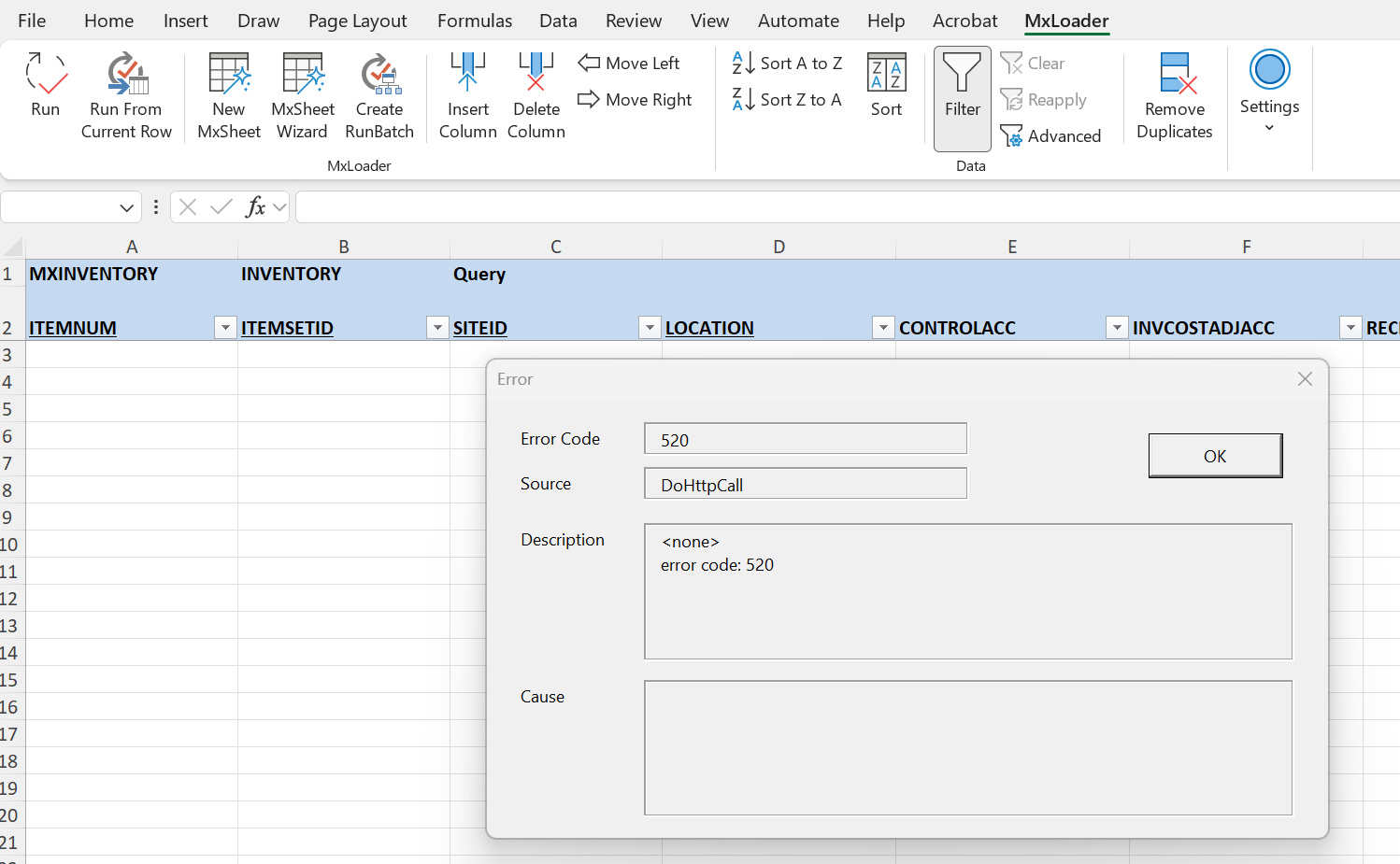
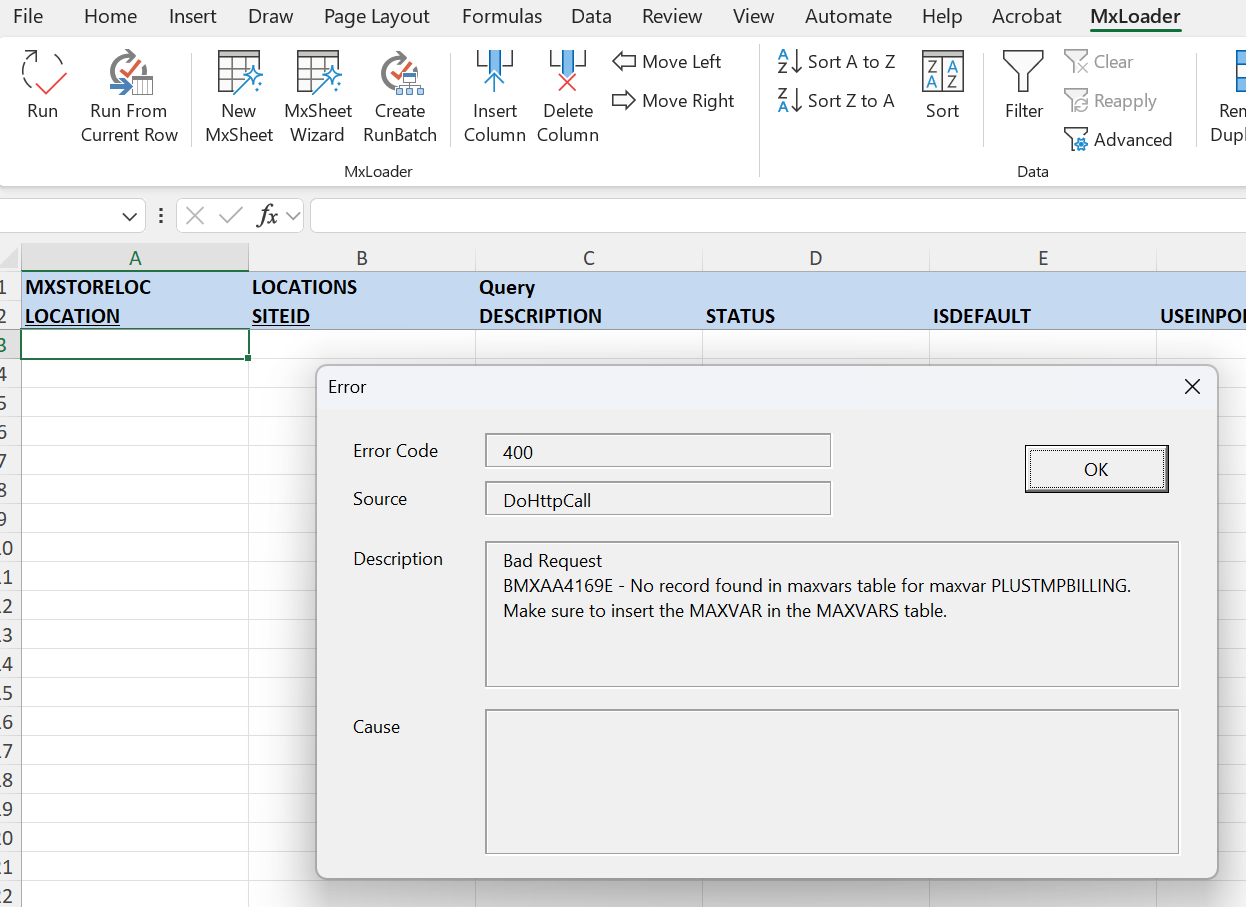
    The next error is also a simple query of the LOCATIONS object using the default MXSTORELOC Object Structure for Storerooms.  (I get the same error using the default MXOPERLOC Object Structure trying to query any locations)

    This is an error message talking about maxvars and the PLUSTMPBILLING maxvar (which we have not touched)
    Again, thanks to anybody who might have some thoughts because I am stuck.

    Jim


    ------------------------------
    Jim MacDonald
    JMi Facilities
    ------------------------------


  • 2.  RE: Looking for possible reasons for 2 separate MxLoader issues I am encountering

    Posted 08-18-2026 14:16

    Hi,

    On your first screenshot, try reducing the number of records you're querying and see if that yields different results. When I am dealing with a large number of records, I usually write a SQL query in SQL Server Management Studio (or the Oracle equivalent) to retrieve the records, then export them to MxLoader for modification.

    I didn't encounter an error when I ran the second MxLoader. I used only the fields I could see in your screenshot. 


    ------------------------------
    Stevie Holloway
    Tufts University
    ------------------------------


  • 3.  RE: Looking for possible reasons for 2 separate MxLoader issues I am encountering

    Posted 08-18-2026 16:22
    Thanks for the great suggestions Steve!

    I have been able to get through large queries before with MxLoader without this error and was surprised when it popped up.

    I have started using an SQL Editor to export out large data sets and massage the data in MxLoader for Add/Changes and that seems to be working for now.  Thanks again!

    Jim


  • 4.  RE: Looking for possible reasons for 2 separate MxLoader issues I am encountering

    Posted 08-18-2026 19:11

    Good morning, Jim

    Firstly, may I recommend that if there are two issues that you create, just that two questions, one for each issue.  This was each can be dealt with on its own merit.

    Part A

    Second issue, first.  The answer is simple.  The PLUSTMPBILLING needs to be added to the MAXVARS table.  Most likely there is a patch already with this as a fix.  I'd recommend that you have a look if there is a patch that can be applied rather than you having to add this via a database insert.  I do not know, by the way, if the PLUSTMPBILLING is a system level, Org, or Site level value without looking further.  Maybe someone with service provider install can answer.

    Part B

    First issue, second. Not a clue, as there are many factors. Try again.  Is this consistent?  Can you work with smaller dataset.  What about looking at the pagination?


    ------------------------------
    Craig Kokay
    Principal Consultant
    COSOL

    email: craig.kokay@cosol.global
    #IBMChampion
    ------------------------------


  • 5.  RE: Looking for possible reasons for 2 separate MxLoader issues I am encountering

    Posted 08-19-2026 10:02
    Good morning Craig,

    Thanks for the thoughtful and experienced answers.

    I am digging in and researching these issues and, alas, the errors are 100% consistent.

    Thanks again,

    Jim


Newest Episode
Ep. 10 | How Naviam DataStudio Makes Data Imports Easier with Lee Daley

Steven Shull and Lee Daley explore how Naviam DataStudio helps IBM Maximo teams simplify bulk data imports, validate information before loading, and improve data quality and management.

MORE by Naviam Episode 10: How Naviam DataStudio Makes Data Imports Easier with Lee Daley
Watch Episode 10
Also available: Ep. 9 | Best Maximo Resources to Stay Informed