In IBM Maximo, adding a new record to the application's main object is straightforward. For example, an application based on INVUSE can use:
to create a new record.
However, adding rows to a child table, such as INVUSELINE within INVUSE, is different. There is no direct Automation Script method to execute the table's native Add Row action.
Scenario
INVUSE
└── INVUSELINE
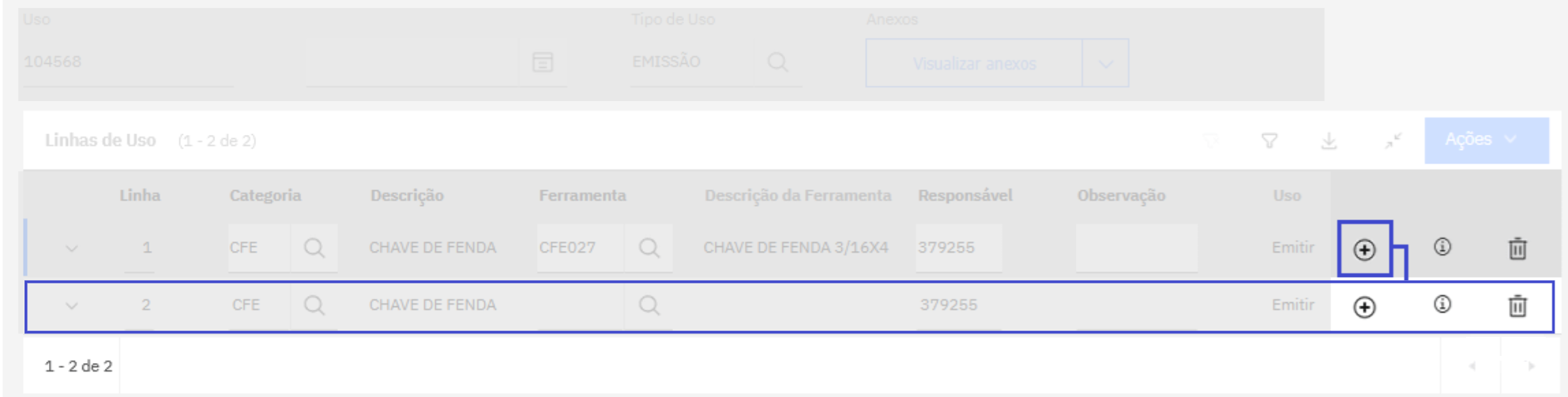
Requirement:
- User selects a row in
INVUSELINE
- Clicks a custom button
- Maximo executes the table's native Add Row
- The new row is automatically populated with values from the selected row
Solution
Create a custom button and use a WebClientEvent to trigger the native Add Row action on the child table.
if launchPoint == "N_ADDROW":
    # Current row
    sourceLine = mbo
    mboSet = sourceLine.getThisMboSet()
    # Data to copy
    itemnum = sourceLine.getString("ITEMNUM")
    # Execute native Add Row
    uictx = UIContext.getCurrentContext()
    wcs = uictx.getWebClientSession()
    event = WebClientEvent(
        "addrow",
        "main_invuselinetab_table",
        None,
        wcs
    )
    Utility.sendEvent(event)
    # Retrieve new row
    newLine = mboSet.getMbo(mboSet.count() - 1)
    # Copy values
    newLine.setValue("ITEMNUM", itemnum)
Why Not Use MboSet.add()?
mboSet.add() creates a record directly in the MBO layer.
In some cases, that is sufficient. However, when the goal is to reproduce the exact behavior of the table's Add Row button, including UI framework handling, triggering the native event is a better option.
Key Discovery
After: Utility.sendEvent(event) the original MboSet is automatically updated.
The newly created row can be accessed immediately: newLine = mboSet.getMbo(mboSet.count() - 1)
This enables solutions such as:
- Duplicate Row
- Copy Selected Row
- Line Templates
- Custom Add Row Actions
Notes
- Replace
main_invuselinetab_table with your table control ID.
- Requires an active UI session.
- Assumes the new row is added as the last record in the
MboSet.
Conclusion
While event="addrow" is sufficient for parent objects, child tables require a different approach.
By creating a WebClientEvent and executing it through Utility.sendEvent(), it is possible to trigger the native Add Row action of a child table and immediately access the new record for further processing.
The most interesting part is that the framework updates the existing MboSet, allowing the script to work with the newly created row without requerying or refreshing the relationship.
#Administration
#Customizations
------------------------------
Aurelio Moura
------------------------------