Hello Travis
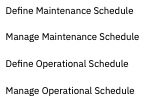
Maintenance and Operation Schedules are created in the Asset and Location applications - available in More actions from the list page or the record level. From the list page only the define actions are available.
Graphical Scheduling and Graphical Scheduling - Large Project applications have Schedule types of Asset and Location as well as the default of Work. When the schedule of Asset or Location is in use the user has an option in the More Information to display the Maint/Op schedules as the background to the graphical view. This is informational only in our applications as a user manually moves work around for scheduling. However our Optimization models have options to enforce these schedules on work records that Requires Asset/Location Maintenance Window. Graphical Assignment Optimization model can also enforce these schedules, however it has no graphical view of the schedules as the other 2 applications have.
"Requires Asset Downtime" and "Requires Location Downtime" can be enforced by the optimization model as well but no validation available in the graphical view
- if you are interested in how the optimization models work with each of these I can get another Product Manager to provide more details
Appointment Book Assignments are quite different and refer to the Graphical Appointment Book applications - details can be found on the community if you are interested.
community link - you will need to join the community to view content
Appointment required is on the JP and indicates we need to make a fixed appointment with a customer. Once the appointment is made and the date time set there is a flag on the assignment record for Appointment Made. Within the Graphical Assignment app we show an icon to indicate both values - once the appointment is made you can assign it to a different labor but cannot change the date time without unlocking the Appointment Made.
------------------------------
Lori Pilgrim
IBM
------------------------------