Maximo Open Forum

 View Only

 How to add Schedule date to WO List Change Status Window

Jump to  Best Answer
  • Administration
  • Architecture
  • End User
  • Everything Maximo
  • Life Science/Calibration
  • Scheduling
  • Work Management
Pradeep Rout's profile image
Pradeep Rout posted 05-16-2024 16:36

Hello Experts,

I am trying to configure maximo by giving an option on List Wo Status Change Window to set the Schedule Start and Finish Date while scheduling or rescheduling in bulk.

To achieve this i have copied the List WOCHANGESTATUS dialog from library xml and added to wotrack app.xml. Also i have created 2 attributes same as workorder schedule start and finish date for WOCHANGESTATUS non persistent objectBy doing this you can see both the Schedule start and Finish date are appearing but the values are not getting updated for schedule start and finish on workorder application. refr the below screenshot.

Any help is highly appreciated. @Steven Shull @Prashant Sharma   Have you ever come across any such requirements. 

Steven Shull's profile image
Steven Shull  Best Answer

You would need to add logic to copy the values down. This dialog only supports status changes and does it by creating an asynchronous job to change the status or enumerating through the records and performing a change status for each record.

I would personally create this as my own dialog and action to perform the updates to schedstart/schedfinish. Otherwise, you'd need to disable the ability to change in the background or enhance the async job process to support it as well (which would require copying this data down somewhere else for processing purposes). 

The action launch point should work well for this purpose. We cover it at a high level here: https://ibm-maximo-dev.github.io/maximo-autoscript-documentation/otherlaunch/actionlaunch but that example is the escalation flow. A better document that covers the signature option configuration is here: https://www.maximoscripting.com/use-a-button-to-launch-an-action-script/

Mahadevan Ramakrishnan's profile image
Mahadevan Ramakrishnan

If your organization supports Java customization we could do this by writing the class logic to set the sched start and sched finish on the sched start and sched finish respectively on the work order object.I can write a code snippet and give it to you .

Lacey Lurges's profile image
Lacey Lurges

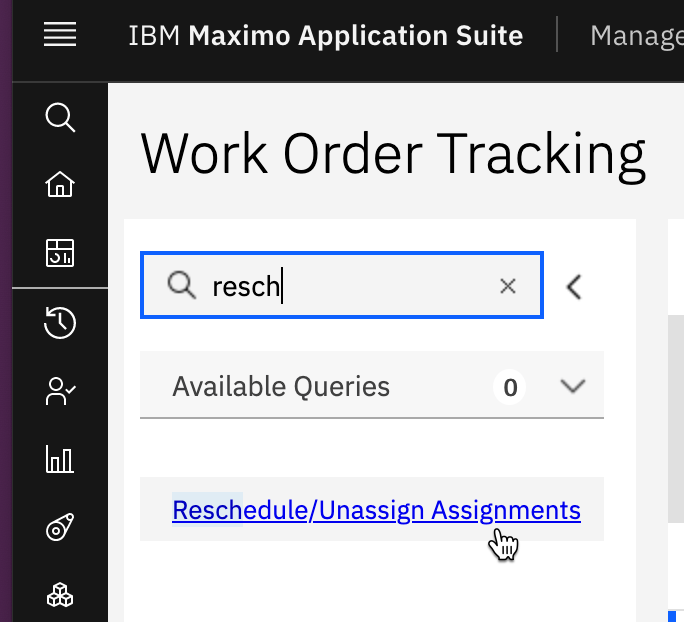
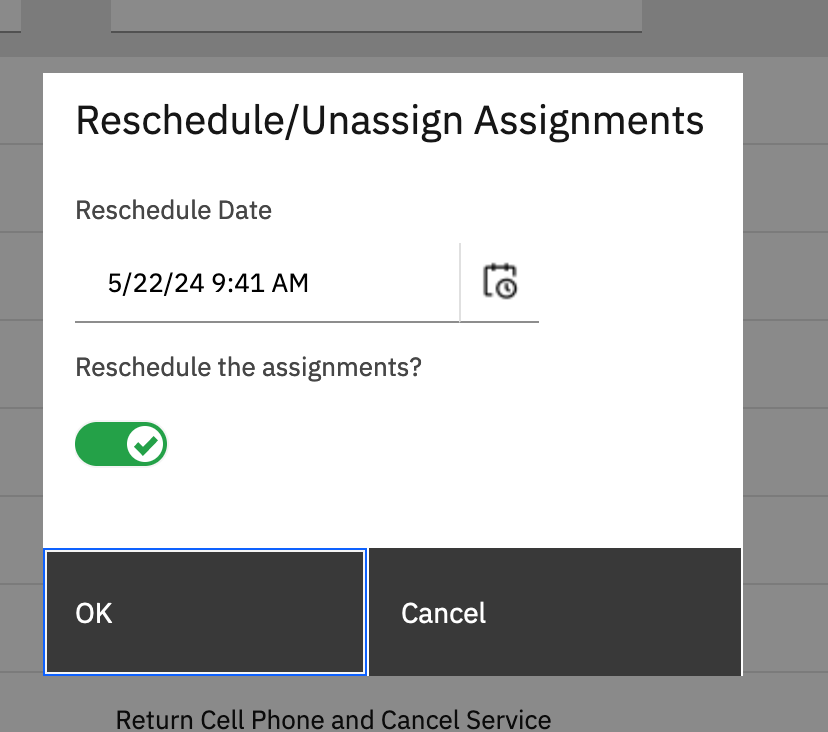
You could consider using the Reschedule / Unassign Assignments dialog as a starting point.  This dialog will allow you to enter a new Scheduled Start Date and apply from the List tab.  Scheduled Finish really should be a calculated field based on adding duration.  If work is long duration though and interruptible then Scheduled Start + duration isn't always Scheduled Finish.

I suspect you are trying to use Scheduled Finish as the Finish No Later Than date. 

If you use this dialog as a starting point, you could have a script or escalation that changes work order status once the field is set.
Pradeep Rout's profile image
Pradeep Rout

@Mahadevan Ramakrishnan: Thanks for for you quick response, unfortunately my organization does not encourage to do java customization. However thanks taking out your time and  contributing the idea of java customization.

Pradeep Rout's profile image
Pradeep Rout

@Lacey Lurges Thanks for your reply. We are actually trying to set the SCHEDULE date and SCHEDULE finish date to null through bulk action  and if you out a null date on reschedule date and select to reschedule checkbox system throws a system error. You are correct on a way how the functionality works but we are trying to customize the window as per our requirement and give an option to users to do bulk actions with allowing completely removing schedule dates from workorder.

Pradeep Rout's profile image
Pradeep Rout

@Steven Shull Thaks for your reply i am able to use a new push button within the same dialog and able to access through auto script by establishing a relationship with WOCHANGESTATUS non persistent object.