You'll need to create an Escalation record with a SETVALUE action and a Communication Template. Let's work backwards:
1) Create the Communication Template. Configure what you want for the Send From, Reply To, Subject, and Body. On the recipients tab, add WILSONS and ADAMS in the People child table (assuming they both have an email address on their Person record). Or, a better way in my opinion, have them in a Person Group, and add that Person Group as the recipient of the email instead of their Person records. Remember to change the status to Active!
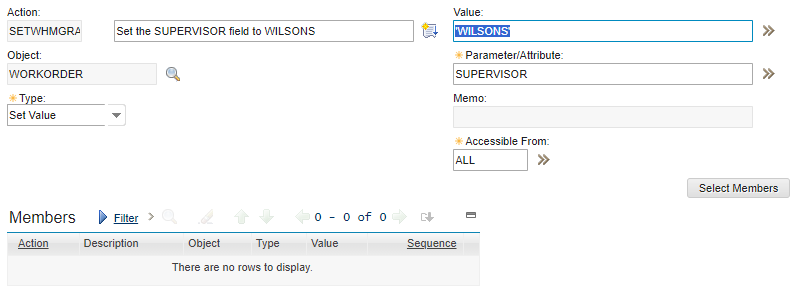
2) Create an Action. The type would be 'Set Value' and since you're assigning a static string value, use single quotes, something like this:
3) Create an Escalation. You'll have to choose how often to run it (for example's sake, let's say every hour). You'll also need to create a SQL Where clause to tell it which records to run against, something like:
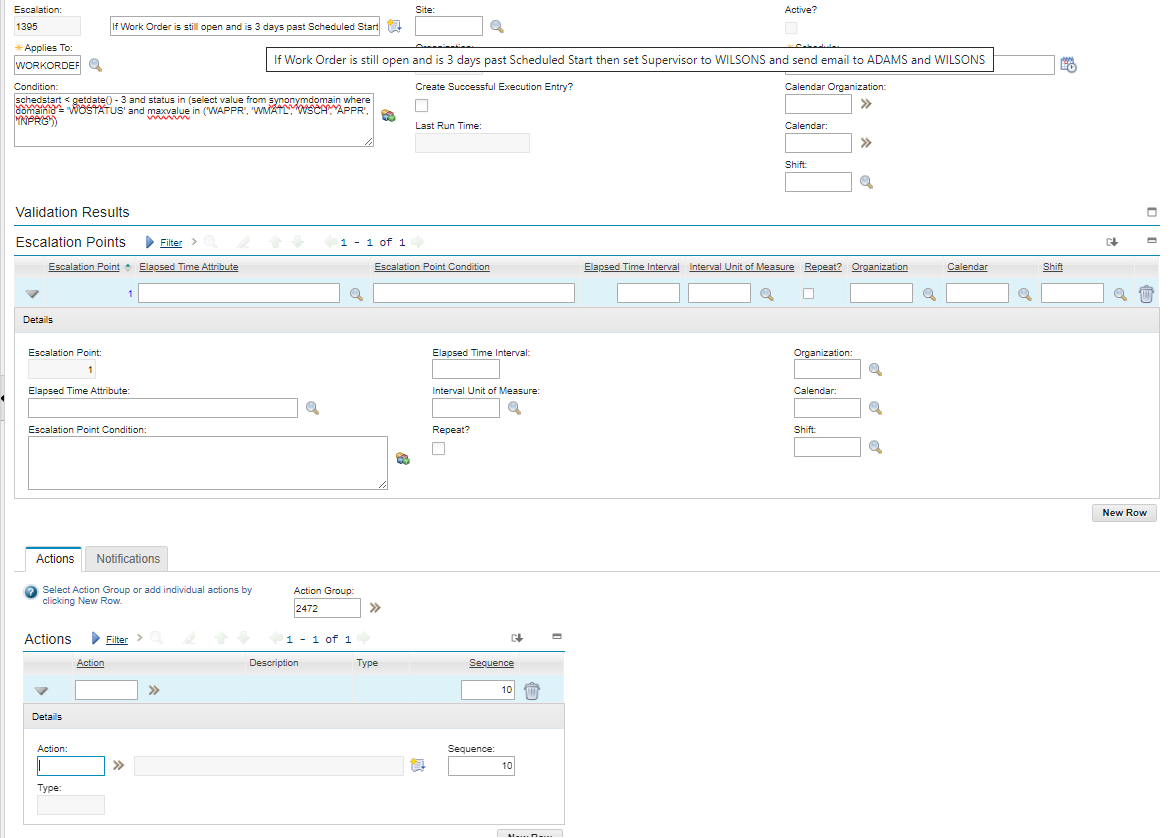
At the top (it kind of got covered by the tooltip), this is set to run every hour.
In the middle, you have to have at least one Escalation Point. Each Escalation Point then has its own Actions and/or Notifications. So with the Escalation Point row clicked on/"in focus," you would (in our example) use the Actions table to add the Action you created in Step #2 above, then on the Notifications tab add the Communication Template record you created in Step #1. Then from the Maximo Actions menu/sidebar, choose Validate (just to make sure there are no syntax errors) and then choose Activate/Deactivate.
That's the simple definition of it. You can use multiple Escalation Points to have it do different actions/send different notifications for different subsets of records within the record set retrieved from the top Where Clause, for example, we could keep the same top Where Clause that finds open Work Orders that are 3 days past the Scheduled Start Date, but maybe create an Escalation Point that finds among those records the ones with a Location in BuildingX so we can have the Action assign WILSONS as the Supervisor; and then another Escalation Point that finds the records in BuildingY so we can have the Action assign ADAMS as the Supervisor. But that's a lot more than you asked for; just added it to help you learn it since you said you are new to Maximo.