Maximo Open Forum

 View Only

 webclient.maxselectrows limitation of 200 for records when using next page

Jump to  Best Answer
  • Administration
  • Assets
  • End User
  • Everything Maximo
  • Inventory
  • Work Centers
Diane Nohner's profile image
Diane Nohner posted 12-24-2025 12:04

webclient.maxselectrows limitation of 200 for records when using next page

webclient.maxselectrows limitation of 200 for records 

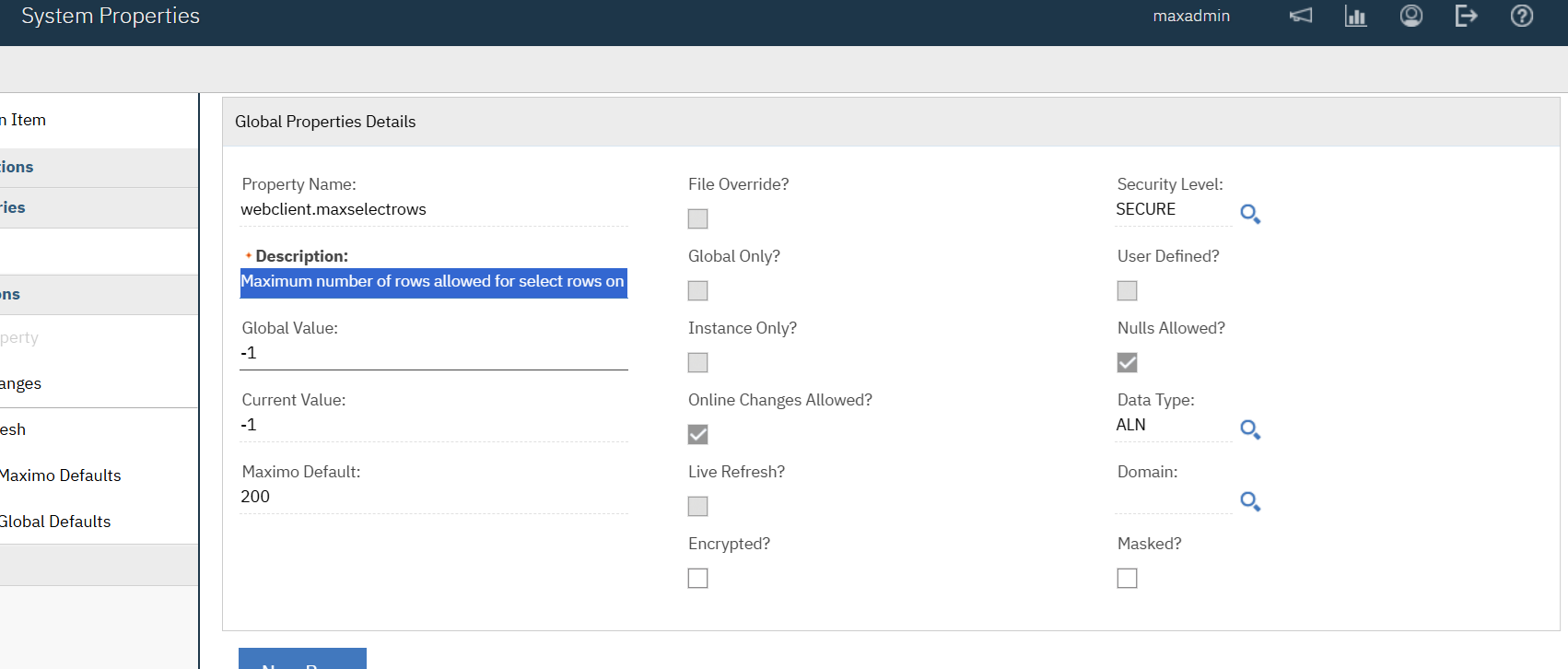
while troubleshooting another issue updated maxselectrows to 200.

prior it was blank and in all of the system properties.

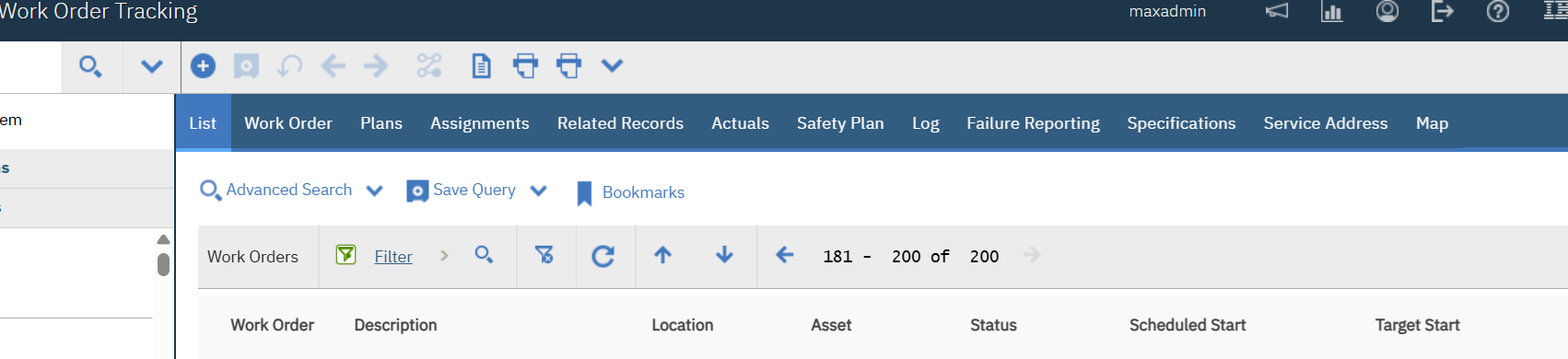
Since it only displays 200 rows for each module (eg, Workorders, start centers, assets, etc..) there are more records than 200 as you  move though the next page via the arrow it stops at 200.

have since researched and added -1 - screen shot below 

restarted the application via websphere also, restarted the servers.

Still only displaying 200 rows via the next page toggle.

Is there a way to remove the Maximo default?

Before the change it was blank.

Or 

What is the solution to get all of the records to display again?

*note did change the global value to 6000 repeated the steps and still only displays 200

screen shots below

*note this is Maximo Asset Management 7.6.1.3
Steven Shull's profile image
Steven Shull  Best Answer

I assume your database platform is SQL Server? If so, look at the mxe.db.sqlserverPrefetchRows system property. The IBM performance best practices recommend changing this to 200 but it causes what you're seeing here. I personally recommend leaving this at the default of 0 if you can but never setting this to anything less than your mxe.db.fetchResultStopLimit setting. If Maximo ever tries to retrieve more records than this fetch setting it will fail. For example, if you have more than 200 reports and try to generate request pages for all reports, it completely fails. There are some scenarios where Maximo ignores the fetch limit, but normally the fetch limit is enforced and Maximo will not fetch more records than the number defined in mxe.db.fetchResultStopLimit. 

0 is often the most performant option from a Maximo perspective but the prefetch setting was introduced to avoid some issues where the JDBC driver pulls too much data into memory and causes a heap dump. For example, if a user used the All Records query in WOTRACK and it brought back millions of records, that data in memory in the JDBC driver could crash the system. Some systems can't handle 0 because of that. 

Diane Nohner's profile image
Diane Nohner

Steve

Thanks for the answer

Steve

Thank you for the answer!

This did resolve the issue.  


Thank you for the reply and suggestion.