I'm not sure where a good guide is anymore that walks through this. A lot of customers mess this up to make logos report specific rather than updating the global library. For QBRs, you need to update the global library (which is where you want the logos to be anyways).
In Report Administration, use the "Export Library" action. This will bring up a dialog and show the MaximoSystemLibrary.rptlibrary. Choose Export.
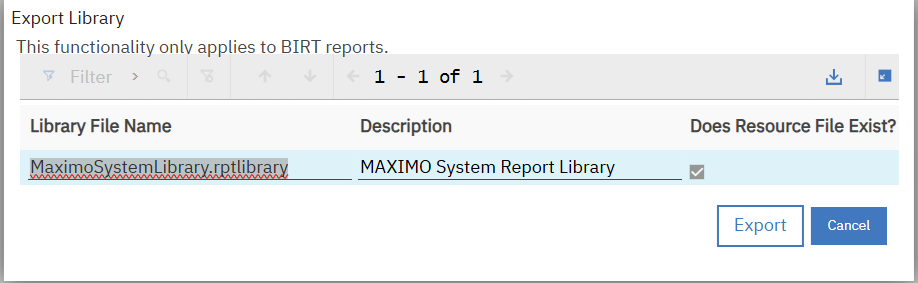
This will download a zip. Extract the zip.
Edit the MaximoSystemLibrary.rptlibrary. Find "IBM_logo_Black.gif" and replace it with the image name you want to utilize. Leave the rptlibrary extracted but zip up the image(s).
Then in Report Administration, you use the action to Import Library File. Pick your updated MaximoSystemLibrary.rptlibrary for the library file and for the Report Resource File, pick your zip with the image(s).
------------------------------
Steven Shull
Naviam
------------------------------