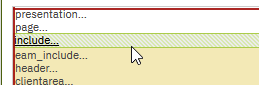
Hi @Danny Richardson I know, in 7.6 this can be a bit tricky. Load the asset application in Application Designer. In the Select Action menu, choose Toggle Show all Controls. And in most of the times, screen is not refreshing complete. So, klick on "presentation..." at the very top of the design frame, and then click on "include...". Normally, a screen refresh is done and the "defaultvalue..." is visible. If not, klick also on "page..." or somewhere else, till the refresh is made.
------------------------------
Beat Keller
Naviam
------------------------------
Original Message:
Sent: 04-20-2026 23:25
From: Danny Richardson
Subject: Default search criteria on List View for all users
@Beat Keller I've noticed that when I add a defaultvalue it dissappears and so if I want to go edit it again in application designer, it's not there. I tried toggling other views and that didn't work either. Do I need to do something to show the defaultvalue added to be able to edit it?
Update: I did see that it is in the XML so if I export that I believe I can edit it there, but was trying to see if there is a way to do it directly in the UI in Application Designer. Thank you.
------------------------------
Danny Richardson
Maximo Administrator Manager
Technimark LLC
------------------------------
Original Message:
Sent: 08-14-2025 09:26
From: Beat Keller
Subject: Default search criteria on List View for all users
There are several possibilities. In all cases, adjustments must be made in the application designer.
Option 1:
Add a where clause in the properties of the "presentation". The disadvantage of this solution is that the filter criteria is not visible in the filter field of the list view.
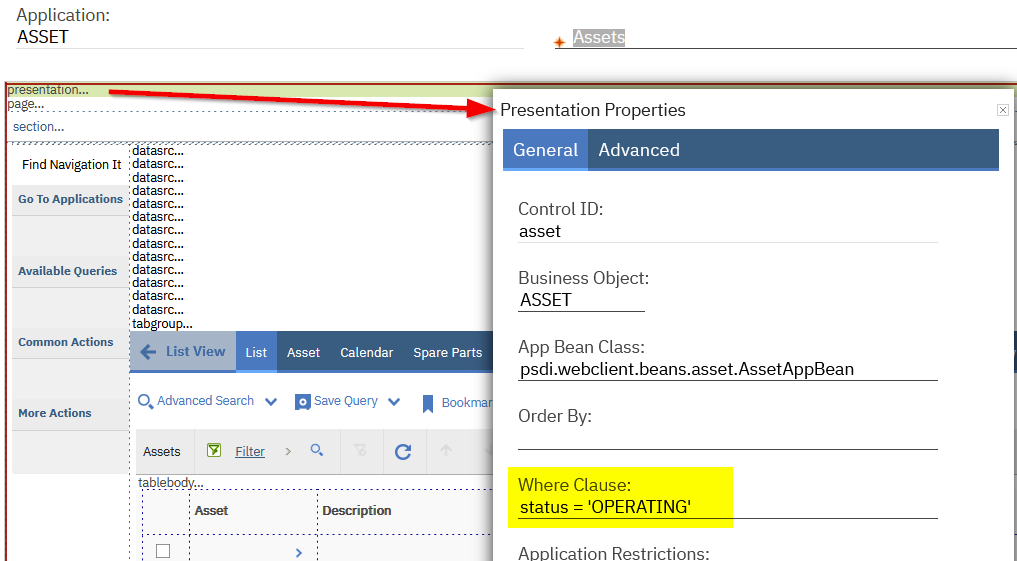
Option 2:
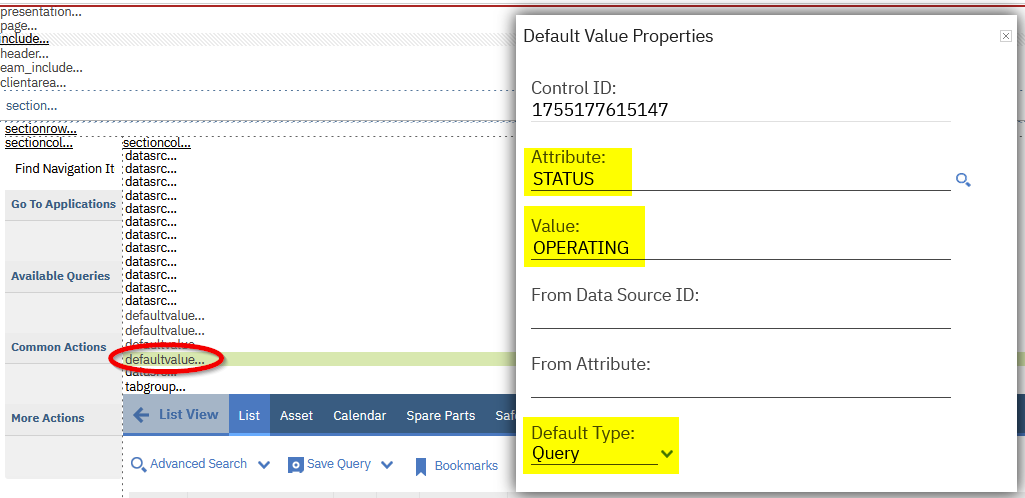
Use the "Control Palette" and add a Default Value. Set the properties as marked. With this solution, the search field in list view will be auto populated with the specified value.
------------------------------
Beat Keller
Naviam