Maximo Open Forum

 View Only
  • 1.  Easy method for inexperienced Maximo users to enter "Trouble" with Assets or Locations

    Posted 08-11-2025 09:58

    My company is deploying Maximo in our electric distribution system. We're seeking an easy method, for non-technical users to enter "trouble tickets" on assets and locations when an issue is identified with a piece of equipment. This issue could be as simple as a streetlight is not working properly to a transformer needs to be replaced. 

    Is there an easy way to do this without creating a Work Order, Service Request or an Unscheduled Inspection? Trouble Tickets sound like it would be useful, but they appear to be designed to deal with Information Technology issues. 

    Our goal is to make it easy for individuals to note problems then other more experienced Maximo users to route them to the corrrect individuals and groups to create Work Orders and fix the issues.


    #Utilities

    ------------------------------
    David Johnson
    Georgia Power Company
    ------------------------------


  • 2.  RE: Easy method for inexperienced Maximo users to enter "Trouble" with Assets or Locations

    Posted 08-12-2025 10:51

    Is there a reason why you rejected Service Requests?  The Self-Service / Create Service Request is designed for casual users, so that's the normal one to use for that purpose.  In case there's confusion - the regular power app Service Request screen is designed for the Maintenance users that are receiving the requests that were submitted via the Self Service app.

    In past years, the Self Service apps did not require a license to use, but I'm not sure what's happening with licensing on these in MAS8 and MAS9.


    ------------------------------
    Shannon Rotz
    InComm Solutions Inc.
    ------------------------------


  • 3.  RE: Easy method for inexperienced Maximo users to enter "Trouble" with Assets or Locations

    Posted 08-12-2025 10:59

    Creating a Service Request did not appear to offer the ability to Classify the SR. It provides a place to fill in a Reported Priority and Assign an Affected Person. The Summary Field and Details Field will be helpful for adding details. The low level of Organization for SRs may make it difficult to ensure the right party is notified to take action.


    David Johnson

    Project Manager

    (205)639-2964


  • 4.  RE: Easy method for inexperienced Maximo users to enter "Trouble" with Assets or Locations

    Posted 08-13-2025 01:02

    Hi,

    An SR can further be converted to a CM workorder which will have its own workflow to be assigned to planner (for example) to classify it and based on the classification the designated team will get assigned when routed.

    Regards,

    Shahid


    ------------------------------
    Shahid Saeed Khan
    Oman Airports Management Company
    ------------------------------


  • 5.  RE: Easy method for inexperienced Maximo users to enter "Trouble" with Assets or Locations

    Posted 08-13-2025 09:55

    The idea is supposed to be: these end-users/customers would use the self-service Service Requests app to report these issues to you.  You (your Maximo team) could/should use the Ticket Templates application to make templates for the customers to use, e.g. you could create a Template for when they want to report a street light out, and it could have whatever specific questions you want the customer to tell you; and you could have a different template for when it's a transformer.  These Ticket Templates also contain a Classification field.  This should provide you the organization/classification you're looking for, and it presents logical groupings/arrangement of the various templates to the customer in the self-service app.  Be aware though, out-of-box, no matter how many levels of Classification you nest, the self-service app will present it to the customer in just two levels.

    The Ticket Template also offers the ability to automatically spin off "activity"-class Work Orders -- the things that need to be done to fulfill that Request -- and/or you can receive the Requests and manually "triage" them, make Work Orders from them, and do everything that you would normally do with a Work Order.

    You can create Workflows for the Request, the Activities, the Work Orders. . .whatever you need. 

    (Bonus: The Maximo IT add-on makes it easier to connect a Workflow to an SR, providing a UI to connect Workflow(s) to each Ticket Template.)


    ------------------------------
    Travis Herron
    Pensacola Christian College
    ------------------------------


  • 6.  RE: Easy method for inexperienced Maximo users to enter "Trouble" with Assets or Locations

    Posted 08-14-2025 10:13

    This is very helpful for me Travis. Thanks for taking the time to send this.


    ------------------------------
    David Johnson
    Georgia Power Company
    ------------------------------


  • 7.  RE: Easy method for inexperienced Maximo users to enter "Trouble" with Assets or Locations

    Posted 08-13-2025 10:55
    Edited by Ken Thomson 08-13-2025 11:02

    The Self Service Apps are still 'free' in MAS 8/9. i.e. consume no points.   The ability to classify is available in CreateSR.

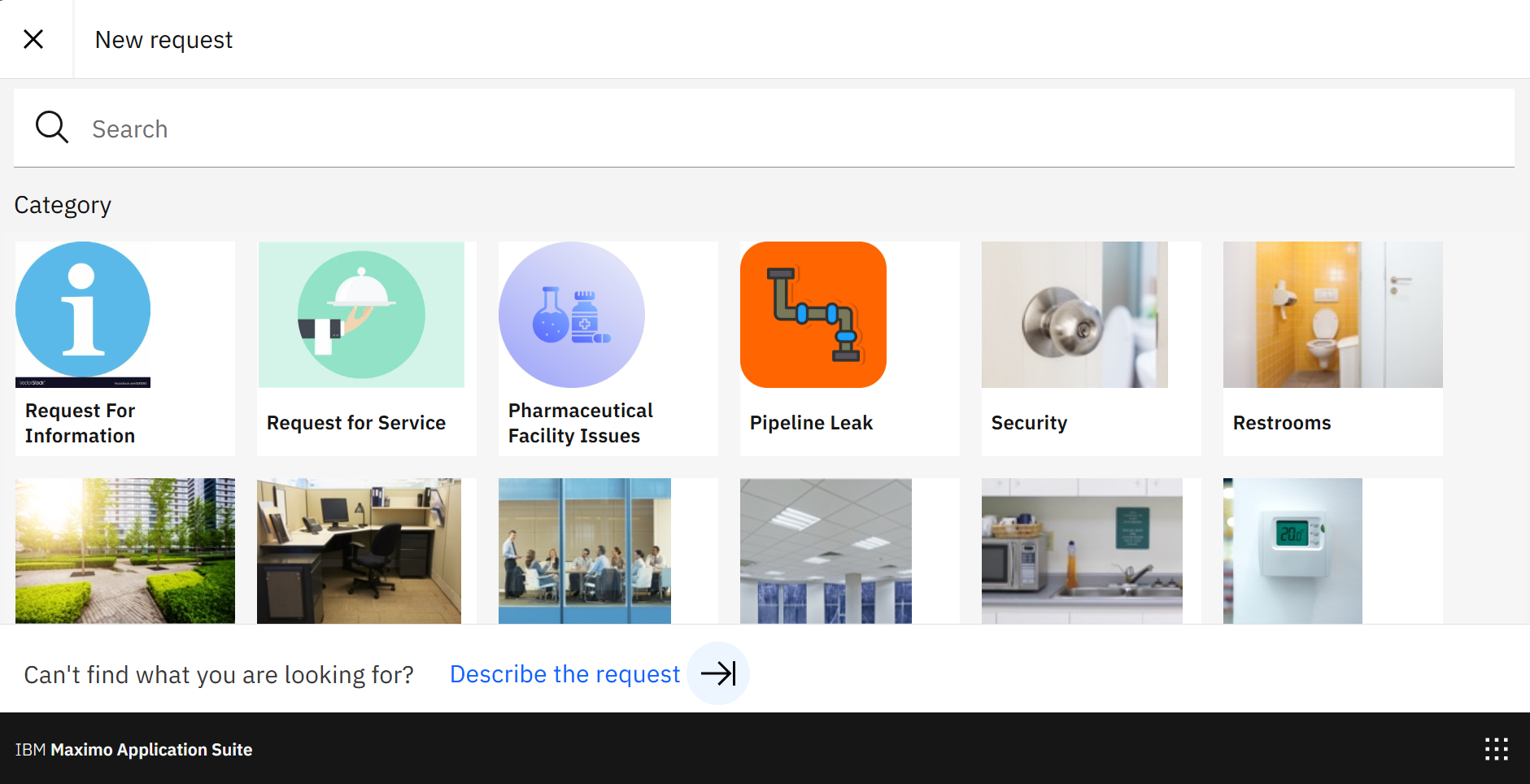
    You can also use Mobile / Role based application and configure classifications to be 'selected' when creating. Each Image /below is a top level classification.


    ------------------------------
    Ken Thomson
    Aquitas Solutions
    ------------------------------


  • 8.  RE: Easy method for inexperienced Maximo users to enter "Trouble" with Assets or Locations

    Posted 08-13-2025 11:20

    HI David,

    Maximo does not have the concept of 'trouble tickets'.  There was way back used to be Work Requests, which were dropped, and the SR came into being.  You are right in that they came from the IT side of Maximo, but today they are used to have anyone log a ticket for...well, anything.  The main reason is that anyone can lodge without consuming a license through the self-service SR apps.'

    You can access the self-service SR through Maximo the menu:

    • Self Service | Service Requests | Create Service Request
    • Self Service | Role Based Applications | Service Request

    You can also raise them using Maximo Mobile.  Please note that the Windows app was recently made available so this is an alternative to the Maximo interface.

    In all cases, the initial screen is essentially the same.  There will be a series of tiles, each of which is linked to a classification, but as already noted by Travis, they will only appear from an active ticket template.  The ticket template is great as it cuts down the response needed from the user to:

    • A description of the issue.  NB: This is actually lodged in the long description as the description (referred as the summary field)
    • The asset/location
    • Any attachments

    The SR offers you an area to triage as not all tickets will subsequently raise a work order.  Have lots of flexibility for these new SRs to then be guided to the interested party or be escalated automatically.

    You can rename the Service Requests to Trouble Tickets, though there is more work doing this in a comprehensive manner.  I'd leave it and train the users.

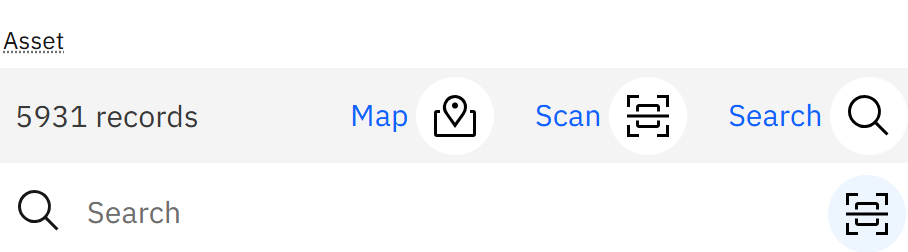
    In the above picture, it took me only two fields to fill out to raise it.  The self-service SR is specifically designed to allow non-technical people to raise a ticket.  A bit like the app Snap Send Solve.  An advantage when this is raised through the role-based app or Maximo Mobile is that you can use either the map (if the asset/location has had X and Y coordinates assigned) or the scan function to read a barcode/QR code/RFID.

    There are also other apps that can be used for free, but that depends on which industrial solution you have installed.

    I hope that gives you some more information and confidence about using the self-service SR for the non-technical people,


    ------------------------------
    Craig Kokay
    Principal Consultant
    COSOL

    email: craig.kokay@cosol.global
    #IBMChampion
    ------------------------------