Thanks @Steven Shull.
Achieved this with below code added in inboxportlet.jsp with out java code edit.
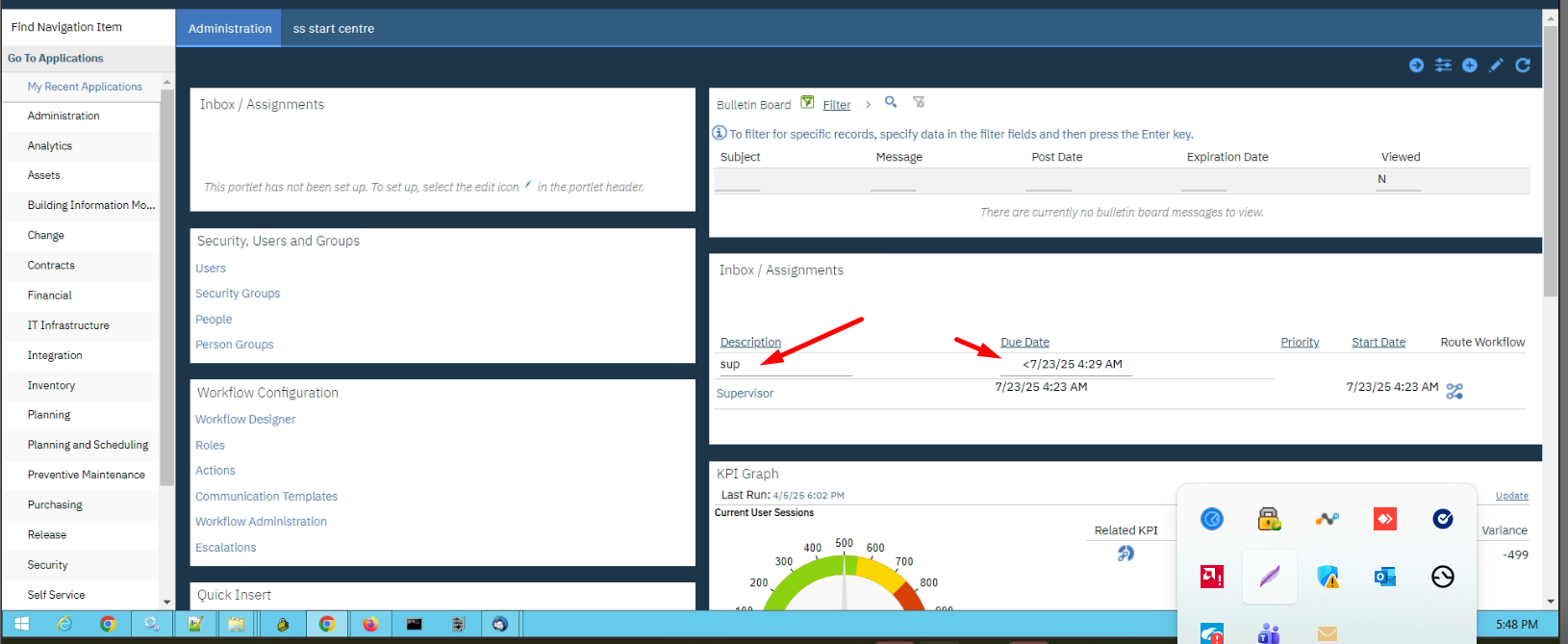
<tr>
<td width="50%" class="pih" nowrap>
<span class="<%=textcss%> pihl"></span>
<input type="text" id="inboxFilter1" class="text"
onkeydown="handleEnterKey(event)" />
</td>
<td width="50%" class="pih" nowrap>
<span class="<%=textcss%> pihl"></span>
<input type="text" id="inboxFilter2" class="text"
onkeydown="handleEnterKey(event)" />
</td>
</tr>
<script>
(function() {
// 🔥 MAIN FILTER FUNCTION
function filterInbox() {
// ---- Clean Filter 1 (TEXT) ----
var f1 = document.getElementById("inboxFilter1")
.value
.replace(/\s+/g, " ")
.trim()
.toUpperCase();
// ---- Clean Filter 2 (DATE INPUT) ----
var f2Raw = document.getElementById("inboxFilter2")
.value
.replace(/\s+/g, " ")
.trim()
.replace(/\s*(<=|>=|<|>|=)\s*/, "$1"); // normalize operator
var portlet = document.getElementById("portletbody_<%=layoutId%>");
if (!portlet) return;
var table = portlet.querySelector(".plinner");
if (!table) return;
var rows = table.getElementsByTagName("tr");
// ---- Parse Date + Operator ----
var operator = null;
var filterDate = null;
if (f2Raw) {
var match = f2Raw.match(/^(<=|>=|<|>|=)?(.*)$/);
if (match) {
operator = match[1] || "=";
filterDate = new Date(match[2]);
}
}
// ---- Loop rows ----
for (var i = 0; i < rows.length; i++) {
var row = rows[i];
var cells = row.getElementsByTagName("td");
// skip unwanted rows
if (cells.length === 0 || row.querySelector("table") || row.querySelector("#inboxFilter1")) continue;
// -------- FILTER 1 (TEXT) --------
var match1 = !f1 || Array.from(cells).some(td =>
td.textContent.toUpperCase().includes(f1)
);
// -------- FILTER 2 (DATE) --------
var match2 = true;
if (filterDate && !isNaN(filterDate)) {
// ⚠️ CHANGE THIS INDEX BASED ON YOUR DATE COLUMN
var dateCell = cells[1];
if (dateCell) {
var rowDate = new Date(dateCell.textContent.trim());
if (!isNaN(rowDate)) {
switch (operator) {
case ">":
match2 = rowDate > filterDate;
break;
case "<":
match2 = rowDate < filterDate;
break;
case ">=":
match2 = rowDate >= filterDate;
break;
case "<=":
match2 = rowDate <= filterDate;
break;
case "=":
default:
match2 = rowDate.getTime() === filterDate.getTime();
}
} else {
match2 = false;
}
}
}
// ---- Apply result ----
row.style.display = (match1 && match2) ? "" : "none";
}
}
// 🔥 HANDLE ENTER KEY (STOP MAXIMO REFRESH)
window.handleEnterKey = function(e) {
if (e.key === "Enter") {
e.preventDefault();
e.stopPropagation();
e.stopImmediatePropagation();
filterInbox(); // run filter
return false;
}
};
})();
</script>
------------------------------
Venky
------------------------------
Original Message:
Sent: 03-16-2026 09:02
From: Steven Shull
Subject: How to enable or create filter option in Inbox / Assignment portlet in Start Centers
This is a bigger item because you would need to modify the start center portlet code. It's not impossible as you've shown but is not a supported configuration option. And you'd need to maintain this configuration across versions of Maximo.
For what it's worth, the new Operational Dashboard in MAS does support filtering on assignments. Start centers at this point are not actively being enhanced (though for clarity, are still being supported) so it's unlikely you'll see IBM enhance this.
------------------------------
Steven Shull
Naviam
------------------------------