Thank you @Steven Shull! You were correct. There was a custom domain on the Owner attribute in the Work Order table. Once I updated the query the issue was resolved.
------------------------------
Danny Richardson
Maximo Administrator Manager
Technimark LLC
------------------------------
Original Message:
Sent: 03-03-2026 08:52
From: Steven Shull
Subject: Limit Work Order Owner Lookup to Active Users Only
Out of box, Maximo doesn't allow you to select owner this way. You must use the Select Owner dialog which should filter out INACTIVE person records. But even if you make the field editable it should only show ACTIVE person records. This is because the java class on the OWNER field extends the psdi.app.person.FldPersonID class which sets a criteria of "status in (select value from synonymdomain where maxvalue='ACTIVE' and domainid='PERSONSTATUS')"
My guess is someone has added a table or crossover domain to this attribute in Database Configuration or a Retrieve List automation script on the attribute and is impacting the default filtering because of it. If that's the case, you can modify the criteria to re-introduce this filter.
------------------------------
Steven Shull
Naviam
Original Message:
Sent: 03-03-2026 00:30
From: Danny Richardson
Subject: Limit Work Order Owner Lookup to Active Users Only
Hello MORE Maximo Community,
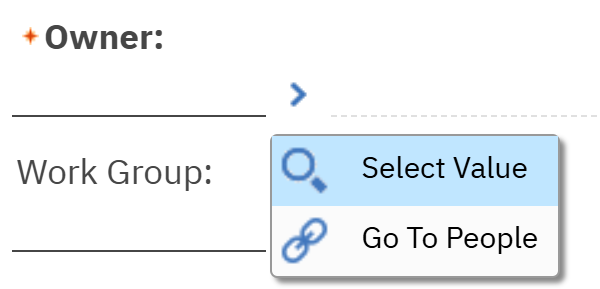
On Work Orders, when a user clicks the chevron and then Select Value to choose a value for the Owner field, the pop-up shows all users with the same locale setting in the People application, including INACTIVE users.
Is there a way to modify the query used by the system so that only ACTIVE users are displayed in this lookup?
Thank you
#Administration
#Customizations
#EndUser
#EverythingMaximo
#WorkManagement
------------------------------
Danny Richardson
Maximo Administrator Manager
Technimark LLC
------------------------------