Hi All,
We are now looking at the Work Center Inspection App for our organization and planning to do inspections for our assets and/or locations.
But we recently noticed that if not doing inspection from the "Work Center Inspection" interface using the "Unscheduled Inspection" button, Maximo will always generate an additional inspection result for one asset or one location.
For example,
I created a very simple inspection form "1033 - RECFIREINSP" with only one question inside.

I created a new Work Order and only added one Asset "R114-FIRE-EXTING" to it at 2023-02-14 3:45PM.
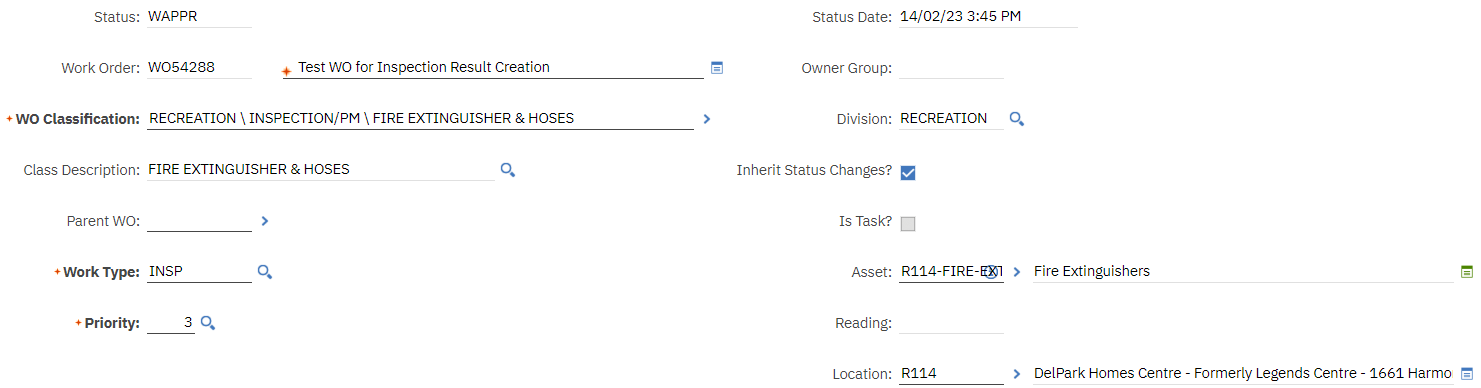
So far, there is no new Inspection Result generated in Work Center Inspections.
And then once I select "Inspection Form" for this Work Order above, it will then generate new Inspection Result.
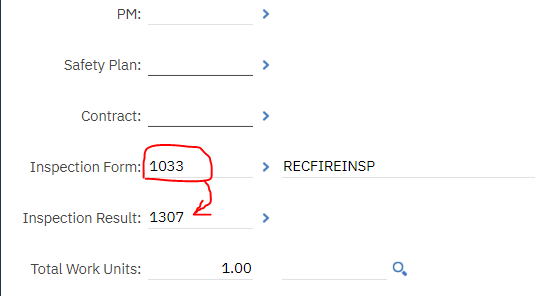
It is supposed to only generate one Inspection Result "1307", but actually it always generates an additional Inspection Result:
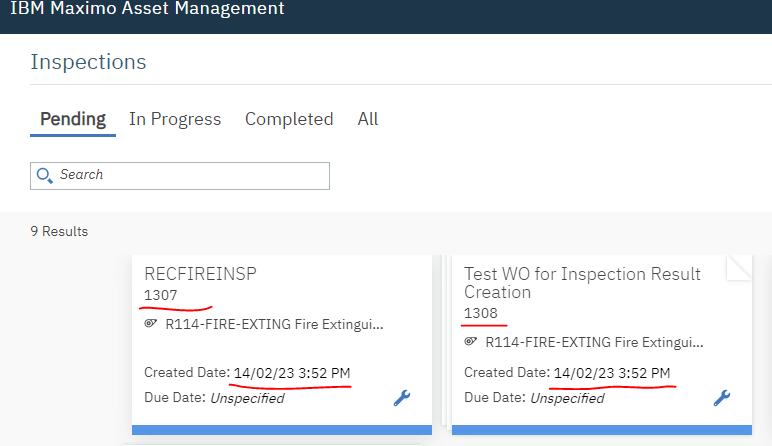
And when we check the Inspection history of the Asset's from "View Work Details", it will then display two results:

In database table, it looks not appropriate in the "REFERENCEOBJECT" column as this is just a single work order asset inspection, it is not necessary to generate two inspection results, and refer itself as its own PARENT.

Actually, looking at above database table, it shows 6 different types of tests I did today.
In Test Type A, we have a PM containing a Route which has 3 multiple Locations as Route Stop. And all the locations in the Route has Inspection Form "1033" setup. Then we generate Work Order from this PM. So it makes sense or we understand that the out of box way generted not only 3 inspection results (1292, 1293, 1294) for all the 3 locations, but also generated one "catch all" parent/group inspection result "1291".
In Test Type B, I removed the Route from the PM, but add only one specific Asset to the PM, and then generate work order from this PM. Then I noticed, it still generates the additional "catch all" parent/group inspection result "1296". So was the following tests "1298", "1300".
Then I removed Asset from the PM, but add Location only, and tested in Type C. It is doing the same thing with generating additional unnecessary Insp result "1302".
And then in Test Type D, I decided to not use a PM, but created a new work order and add one Asset to it. But it still generated the additional result "1304".
So in Test Type E, I went to Work Center interface and just clicked the "Unscheduled Inspection" button to do inspection for the same specific asset. And it finally looks normal with just one inspection result generated.
And I just did a final test Type F and showed you how this weird behavior is with Maximo Work Center Inspection.
Did anyone else also find this awkward Work Center Inspection behavior? And do you have any solutions? We will really appreciate any help.
Also, if anyone knows a method to modify or customize the Maximo Work Center Inspection, it will help a lot.
Thanks very much,
Frank Meng
#WorkCenters#WorkManagement------------------------------
Frank Meng
City of Oshawa
------------------------------