You are correct in your use case description. We are able to replicate this in our test and dev environments. The list of trouble shooting items is helpful and I will test each one. It may take a bit of time but will also let you (and the community) know the results. Your input is very much appreciated!
Original Message:
Sent: 01-15-2026 09:22
From: Travis Herron
Subject: Standard Services
First, let me make sure I understand the problem:
1. User creates a new PO record.
2. On the PO Lines tab, User clicks the New Row button, and selects Standard Service for the Line Type.
3. User clicks the lookup arrows, chooses Select Value, and in the resulting search dialog, there are no records to choose from --- even though you know there are Service Item records that have been created, and are active.
If that is correct, here are some more things I'd recommend as troubleshooting steps:
- Can you replicate this on a test environment -- hopefully one that is close to "out-of-the-box"/not configured & customized to your organization
- Does this same behavior happen when you create a PR? An MR?
- Does this same behavior happen to all users? Try sampling users from a variety of Security Groups/access levels
- Check the ITEMSET that your Service Item belongs to, and make sure your User has access to that ItemSet.
- Check Security Group settings -- see if the User has a Data Restriction --> Object Restriction that prevents using the SERVICEITEMS object
- ("reaching" here) Perhaps there was a customization that makes it so the Service Item has to have the Vendor already listed? In other words, for example, go to Service Items, pull up a record, make sure some vendor is listed in the Vendors table; then go make your PO to that Vendor, and see if you can add the Service Item to the PO Line.
- Try recreating the issue with Admin Mode on, so that scripts are disabled.
Hopefully something here helps!
------------------------------
Travis Herron
Pensacola Christian College
------------------------------
Original Message:
Sent: 01-15-2026 08:48
From: Jeffery Murray
Subject: Standard Services
Hello Craig,
Thank you for the detailed description. We did check that early on. We have three Orgs for this instance of Maximo and the service item for all three has been set to Active. I checked it again to be sure and confirmed they are active.
------------------------------
Jeffery Murray
JJWWS
Original Message:
Sent: 01-14-2026 18:53
From: Craig Kokay
Subject: Standard Services
Hi Jeffery,
It seems that the most important thing has been missed.
A Service Item is like an Item; it just can't exist within a store. Therefore, you need to check that the status = ACTIVE at the ORG level. Please select the following menu.

If the status for your organization is not active, please select the Change Status icon (circled)
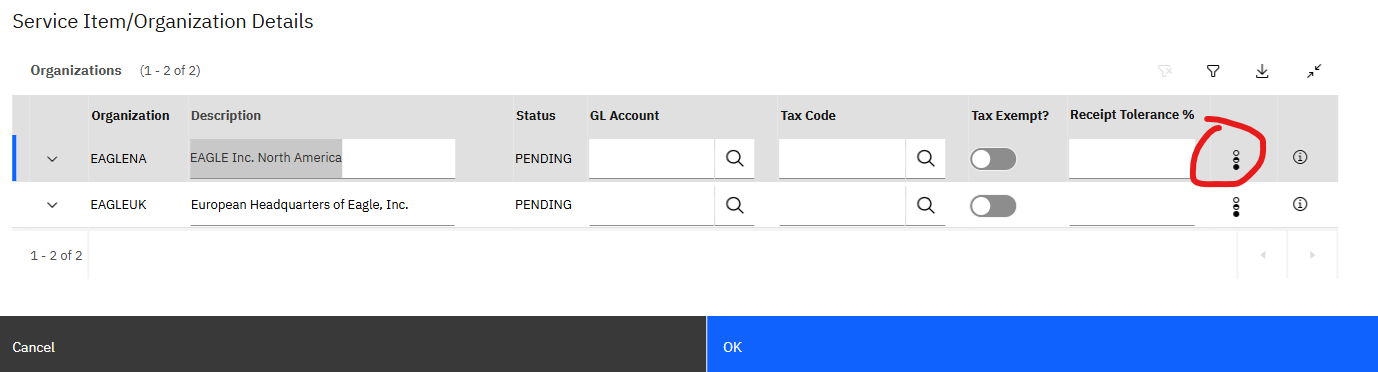
Why do I have to change the status when the service is already active?
When the organization was set up, you had the option to set the default item status.
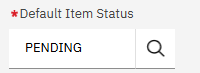
However, when you change the status from the Service Item, you will see an option to roll the change down to the organization. If you forget to select this, then the ORG level status is not changed.
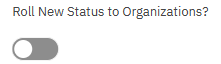
Well, the service item, just an item, is at the SET level; however, the work order is not. So, it's like authorising the use of the service item to an organization. This is the same behaviour for an item, it's just that it also has a third level when you add the item to the inventory, which is at the SITE level.
How can I ensure that this important step is not missed?
The simplest approach is to the change the default status to ACTIVE, but this is not good as you are automatically assuming that the service item is valid for all organizations. This approach will depend on your organization's appetite for this assumption.
A good practice is that when you have changed the service item's status, is to then check the ORG level status.
Please let us know what you find.
------------------------------
Craig Kokay
Principal Consultant
COSOL
email: craig.kokay@cosol.global
#IBMChampion