Hi Maximo Open Forum,
Got a buzzer beater Tip Tuesday for you. This one is similar to Allan's last week post - customizing user interface in MAS.
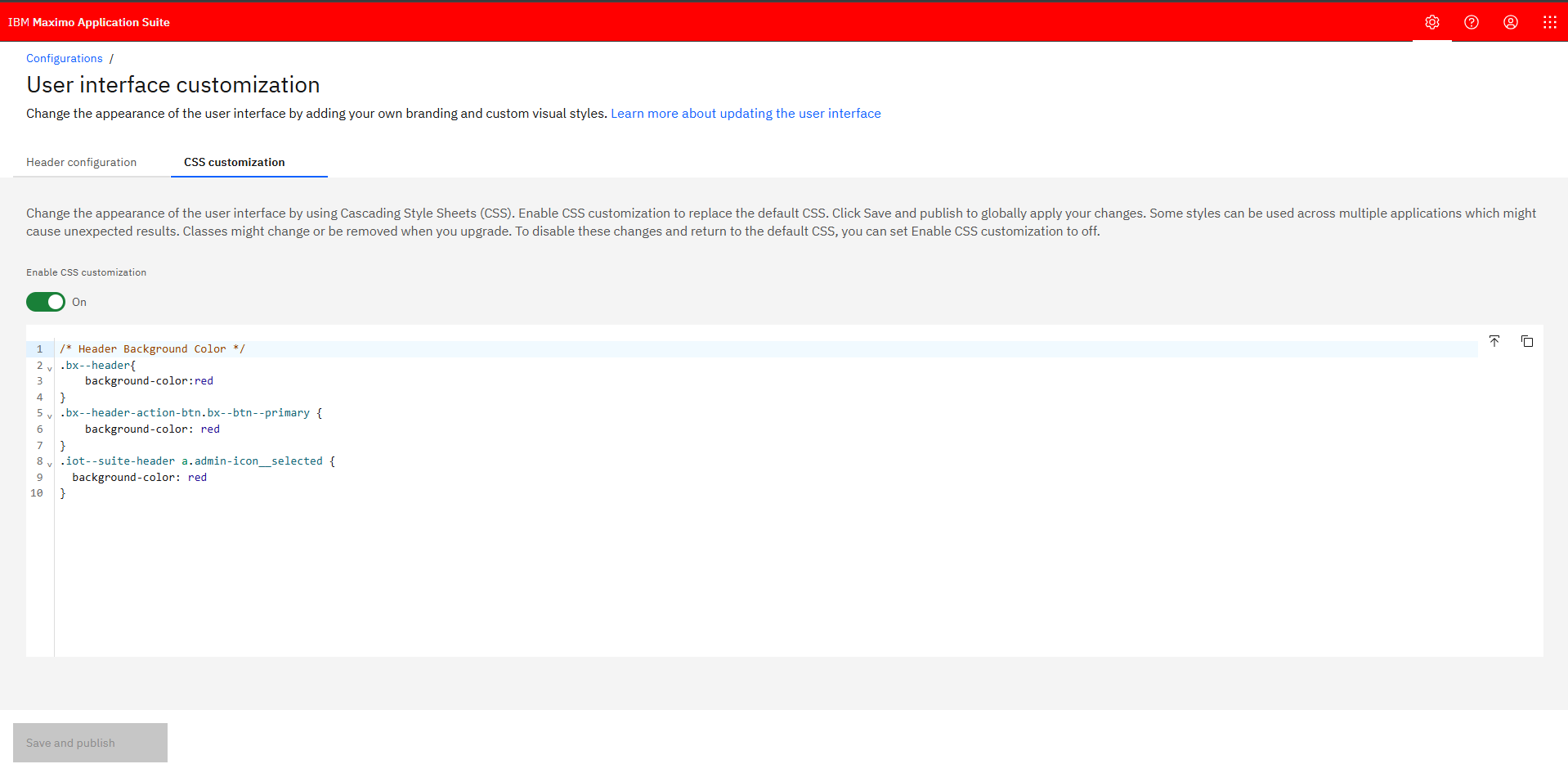
Did you know that in MAS you can change the header color for all users by using CSS customization?
This setting is found in:
Suite Administration > Configurations > User interface customization > CSS customization
Example to change the header color to red:
This could be helpful for:
- Match company branding
- Make environments easier to tell apart (ie: a color for non prod and a different color for prod)
Making this change in the Suite well impact all apps, including Manage.
For more information, the IBM documentation is here: https://www.ibm.com/docs/en/masv-and-l/cd?topic=interface-updating-user
Happy #TipTuesday
#MaximoApplicationSuite
#TipTuesday
------------------------------
Lucas Pletz
Naviam
------------------------------