Maximo Open Forum

 View Only
  • 1.  #TipTuesday: Change the MAS Header Color

    Posted 03-24-2026 16:37
    Edited by Erin Pierce 03-26-2026 08:41

    Hi Maximo Open Forum,

    Got a buzzer beater Tip Tuesday for you. This one is similar to Allan's last week post - customizing user interface in MAS.

    Did you know that in MAS you can change the header color for all users by using CSS customization?

    This setting is found in:

    Suite Administration > Configurations > User interface customization > CSS customization

    Example to change the header color to red:
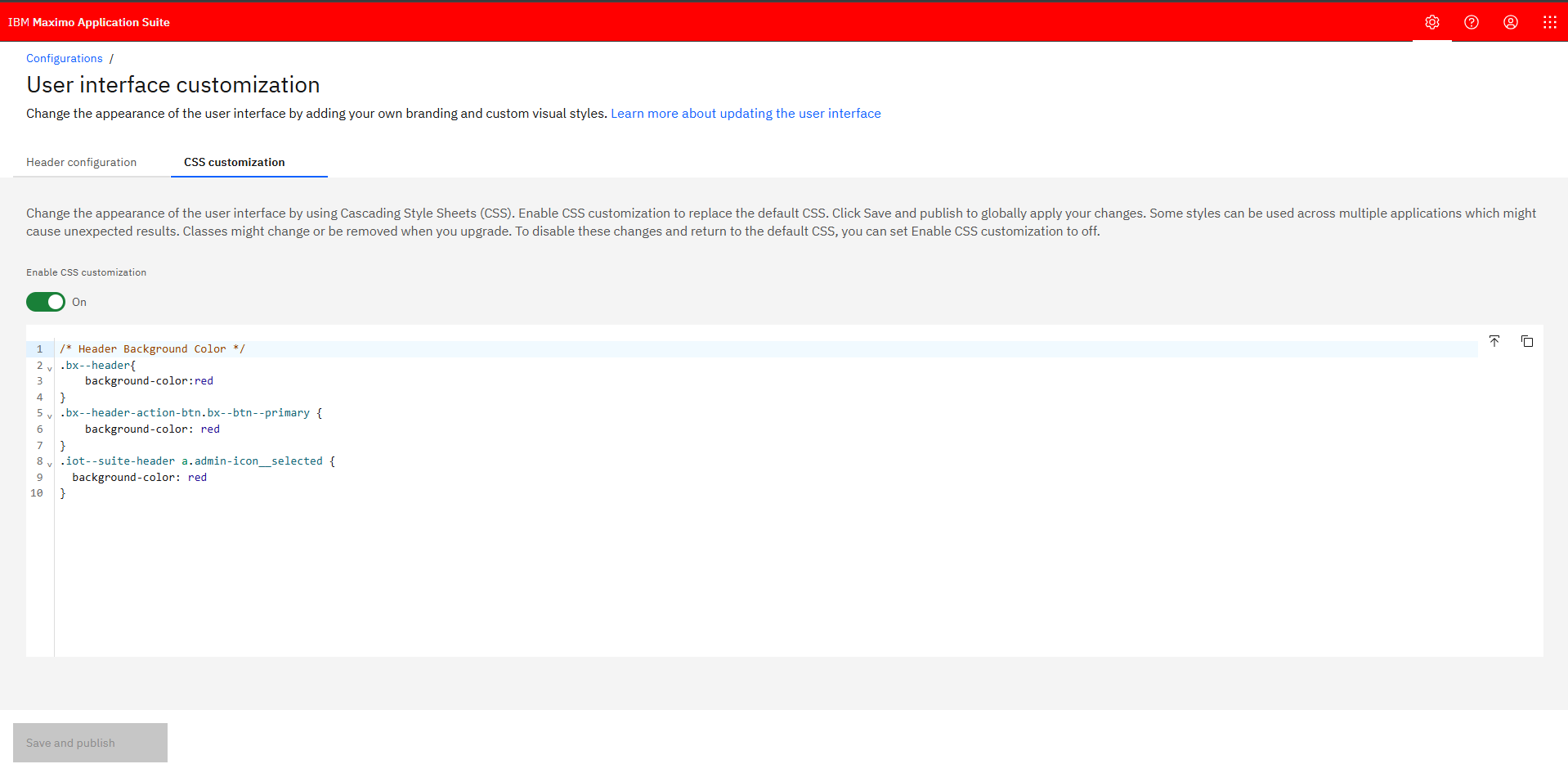
    This could be helpful for:

    • Match company branding
    • Make environments easier to tell apart (ie: a color for non prod and a different color for prod)

    Making this change in the Suite well impact all apps, including Manage.

    For more information, the IBM documentation is here: https://www.ibm.com/docs/en/masv-and-l/cd?topic=interface-updating-user

    Happy #TipTuesday


    #MaximoApplicationSuite
    #TipTuesday

    ------------------------------
    Lucas Pletz
    Naviam
    ------------------------------


  • 2.  RE: #TipTuesday: Change the MAS Header Color

    Posted 07-22-2026 09:28

    Hi Lucas,

    I did change it in our MAS installation and noticed that the css class changed to .cds--header

    So my css looks like the following:

    .cds--header{
        background-color: red;
    }


    Cheers,
    Matthias


    ------------------------------
    Matthias Huber
    EBG MedAustron GmbH
    ------------------------------


Newest Episode
Ep. 5 | Make Manage Feel Like Home with Configuration, Not Customization

Watch Steven Shull and Phil Runion discuss how IBM Maximo Manage teams can make the system feel more familiar, useful, and aligned to their business through configuration instead of customization.

MORE by Naviam Episode 5 cover
Watch Episode 5
Also available: Ep. 4 | System Properties in IBM Maximo