Hi Maximo Open Forum,
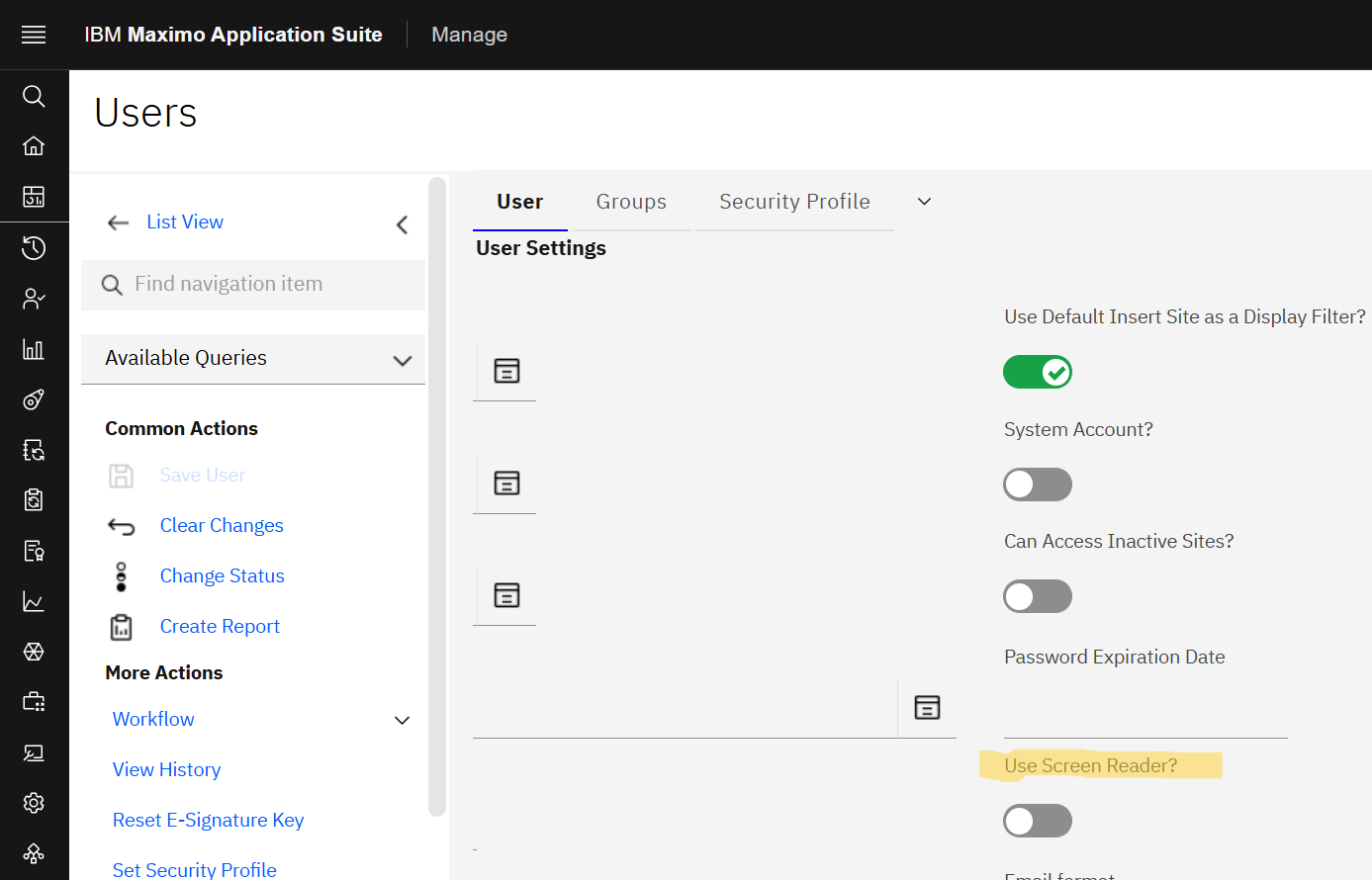
MAS includes Screen Reader mode to support accessibility for users with limited vision or restricted mobility. When enabled, MAS optimizes the user interface to work with screen reader software, supporting keyboard only navigation.
Why this can be helpful:
-
Supports interfaces commonly used by screen readers
-
Allows full navigation using only the keyboard
-
Improves usability for users with visual or mobility impairments
Where issues commonly arise:
Screen Reader mode can be enabled on a user account in MAS by the click of a check box. Sometimes by accident. When this happens, the interface changes in ways the user may not expect.
Examples:
-
Attachment document numbers appear as plain text
-
Attachment links do not open when clicked
-
Some UI elements behave differently
This behavior is expected. In Screen Reader mode, Maximo assumes navigation such as opening attachments through assistive technology rather than mouse clicks.
If a user cannot open attachments, double check the "Use Screen Reader" setting on the user record in MAS.
Happy #TipTuesday
#EndUser
#EverythingMaximo
#MaximoApplicationSuite
#MaximoUserGroups
#TipTuesday
-------------------------------------------
------------------------------
Lucas Pletz
Naviam
------------------------------