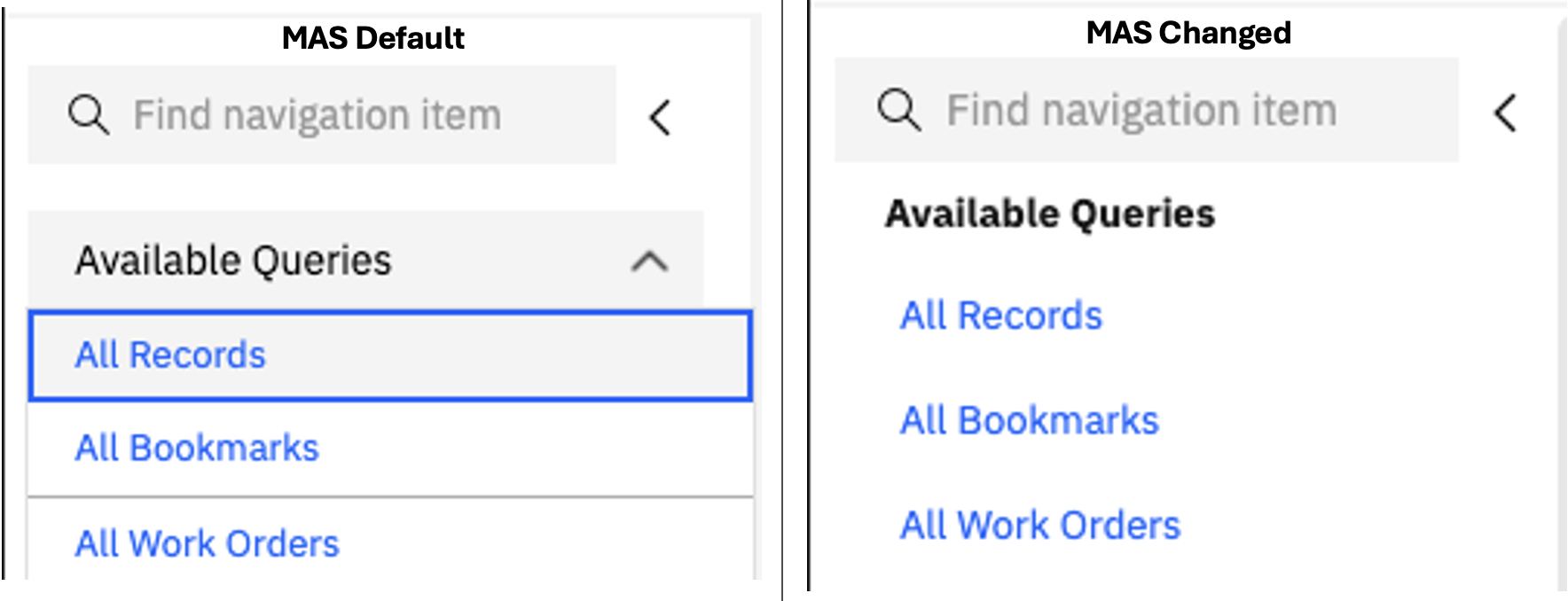
Have you noticed in MAS, saved queries are put into a drop down list, instead of showing a few in the Side Navigation? While it is great for saving screen space, it can be an extra click to select saved queries you have always had there. In MAS this can be controlled with a system property to revert back to the old way. We can also use a different system property to change the default of the number of queries showing. See below:
System Property mxe.webclient.showQueriesinDropdown will accept values of true or false. True is what is default today. This will keep the available queries in a dropdown menu. False will remove the drop-down menu and show a list of queries. You may notice that by doing this, there is a large list of queries you don't want to see, you will see that we can adjust this.
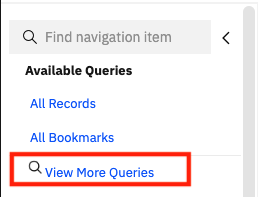
If you change the system property mxe.webclient.maxNavbarQueryLimit from its default of 20 to the number you'd like, it will update the list. The system property controls the limit on the number of query items shown in the navigation bar. Keeping the default of 20 might clutter your screen or show queries that are not needed. It could be best to keep those hidden. In my example, I set the default to 2 to show that there is still a pick list of other queries to use if you reduce the limit.
Happy #TipTuesday! I hope this improves your experience with Available Queries.
#Administration
#Customizations
#EndUser
#MaximoApplicationSuite
#TipTuesday
------------------------------
Allan Henle
Naviam
------------------------------