Maximo Open Forum

 View Only

 Adding Variables to items in item master

  • Inventory
  • Maximo Application Suite
David Short's profile image
David Short posted 01-17-2024 15:01

We use maximo to track sign fabrication orders, installation, & raw materials used to create the signs.  I would like to add a billing report to the mix.   Just about every sign has size and color variables.  Would like to reduce the total number of items to reduce the number of pricing updates needed. 

For example.   a down right arrow sign could be in 4 sizes and 4 different colors 2 Different Grade of film.  Currently that item would need 32 items in items master in order to have it bill report come up accurately.

Is there a way i could automate the raw materials also.   As to only have to update my raw material pricing instead of all the item master variables separately.

Current method is to manually enter everything.

Spreadsheet is easy,  

metal size + base vinyl type of same size as metal + Legend vinyl type of same size as metal + labor time = cost  ( all costs based on raw material entry)

Maximo would have me do all the math and input it for every line item.  Id like to only update the pricing of the raw materials like the spreadsheet. and let maximo do the rest incorporated in the order tracking instead of a separate entry point..

Adam Bearden's profile image
Adam Bearden

David,

Shot in the dark.

I was playing around in Item Master and in our current environment we use the Specifications tab to classify each item.  Well, our customers do.  I am not a user but what I do see is a way you can create attributes for raw items vs the others.  
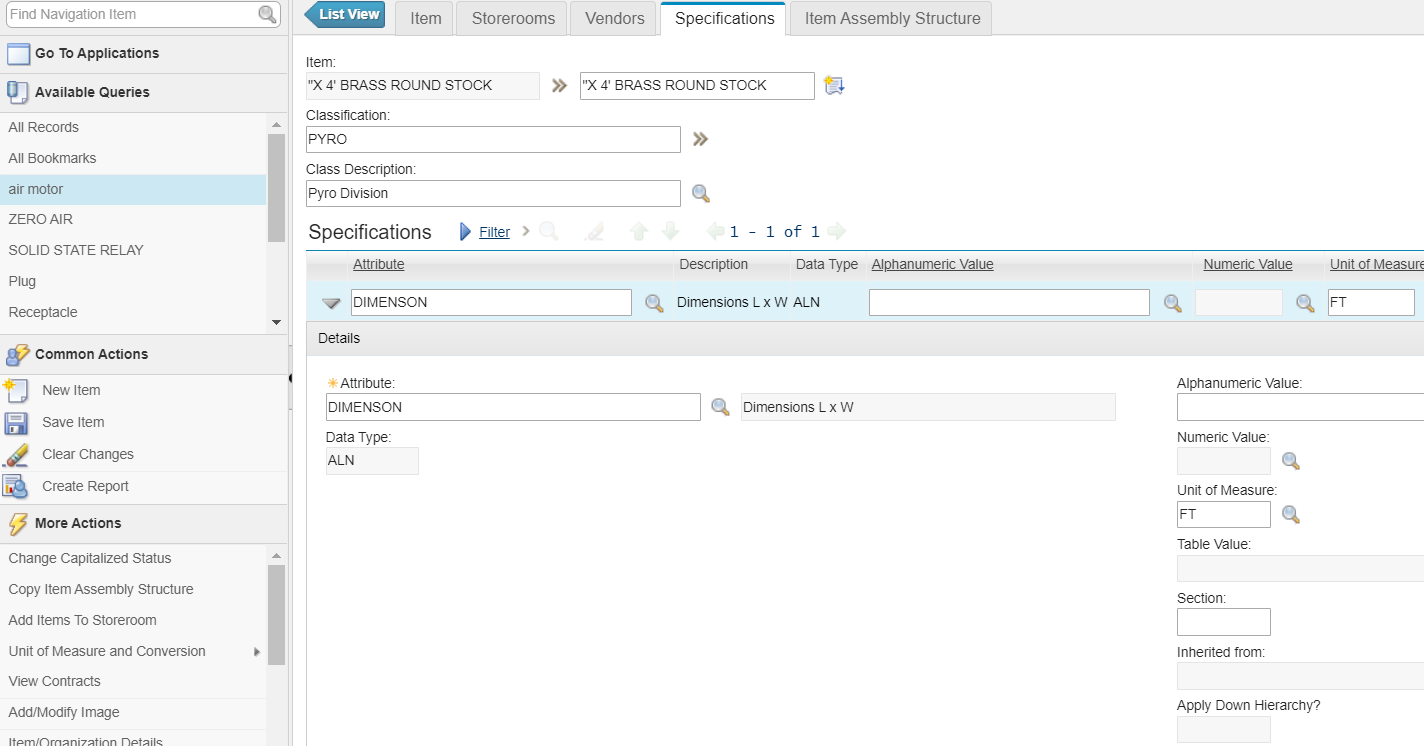
Another thought is to create kits.  Maximo Secrets has a good how-to and just by reading it, maybe something to look into. 

Kit Items by MaximoSecrets

Again...shot in the dark here.

Adam