Non persistant MBO object ASSETUSERCUSDFLT store the default values for user custodians for mass asset modify.
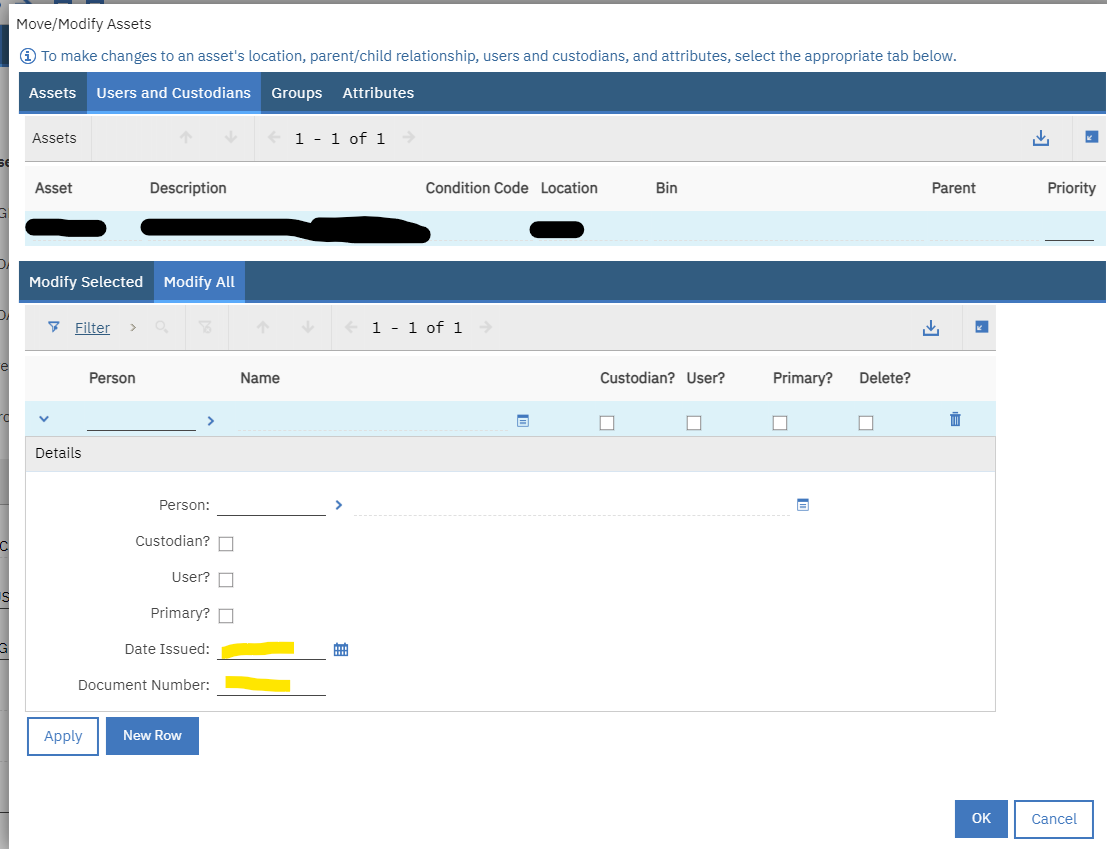
Dialog is located in Application ASSET, click on Move/Modify Asset, Select tab Users and Custodians and finally Modify All.
There are some classes related to this process as well and I will like to avoid any modification to them.
I created 2 new custom fields to ASSETUSERCUSDFLT and add them to the dialog.
ASSETUSERCUSDFLT.DFLTISSUE_DATE and ASSETUSERCUSDFLT.DFLTDOC_NUM
However updates to the ASSETUSERCUST will happen only for out of box attributes.
| Attribute Name |
Description |
| DFLTPERSON |
Stores the default value of person for mass move of assets. |
| DFLTISUSER |
T/F is this person a user? |
| DFLTISCUSTODIAN |
T/F is this person a custodian? |
| CANDELETE |
T/F can the person record be deleted from the assets selected |
What do you suggest? Which approach to take to include custom fields as well in mass modify of custodian data?
Automation Script? I may update this data for 1000 records at once.
Thanks