Hi Subhransu,
Thanks for the response. I checked and both of our environments (TEST and PROD) are using the validations. We are still trying to figure out when this particular scenario occurs. Meanwhile, I have another question on the same lines. I see when the invoice is approved. it hits the Company-Related GL accounts and not the one which shows on the Invoice Line tab -> GL Debit Account field which comes from the PO line.
The PO is received in the storeroom so the PO line contains the account number configured on the GL Control Account field from the storeroom. So, the same account is copied over to the invoice line when used the Copy PO Lines button.
Would you be knowing the use of the GL Debit Account field on the invoice line tab when it is not used for the GL transaction because I can see that the GL transaction is created against the Company-related accounts which is different than the invoice line GL Debit Account number?
And if by design the invoice approve process is supposed to use the company-related accounts, then the BMXAA2019E error does not make any sense.
------------------------------
Devendra Verma
SenecaGlobal
------------------------------
Original Message:
Sent: 02-20-2023 11:15
From: Subhransu Sekhar Sahoo
Subject: BMXAA2019E - A work order, asset, location, or GL debit account must be entered.
Hi Devendra,
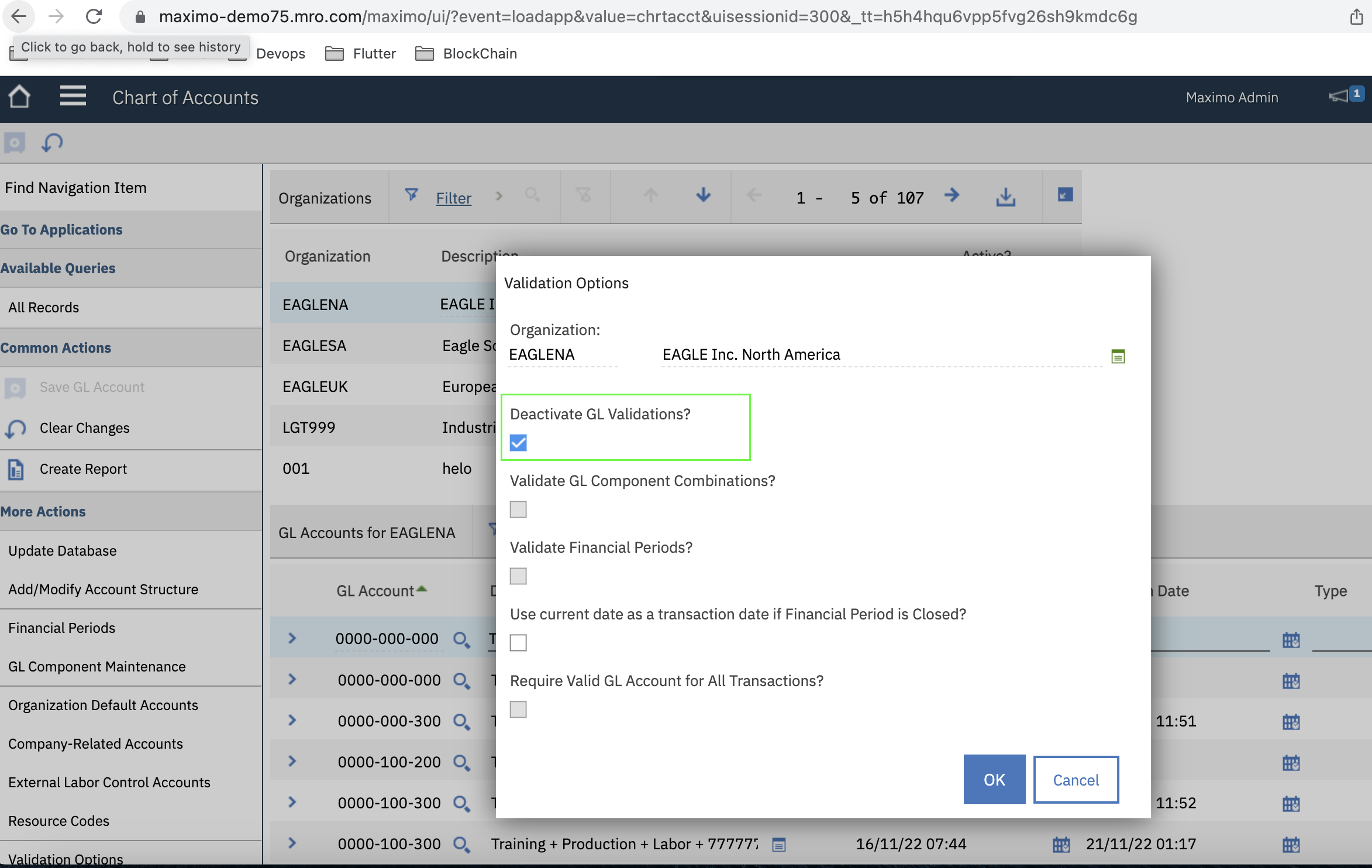
Could you please check and compare the below flag in both the environments? Suspecting this GL validation flag is enabled in TEST while the same is disabled in your other environment where the issue is coming.
If WO, Asset, location and GLDebit account all are null on your invoice, then this error occurs. But if the "Deactivate GL validation" is on, then Maximo may not throw error.
------------------------------
Subhransu Sekhar Sahoo
Tata Consultancy Services
------------------------------