Maximo Open Forum

 View Only
Expand all | Collapse all

MAS 9.1 Carbon and cssclass: !important; not respecting custom CTRL_TEXTBOX.SIZE value set in Application Designer

  • 1.  MAS 9.1 Carbon and cssclass: !important; not respecting custom CTRL_TEXTBOX.SIZE value set in Application Designer

    Posted 4 days ago

    I wanted to have white input text for a red background required field and used the value:  bgred" style="color: #ffffff !important;

    This works except that due to the new Carbon Design system it is causing it not to respect the custom CTRL_TEXTBOX.SIZE.

    Is there a way to still use this bgred" style="color: #ffffff !important; to get the white input text but also enforce the custom CTRL_TEXTBOX.SIZE value that is set?

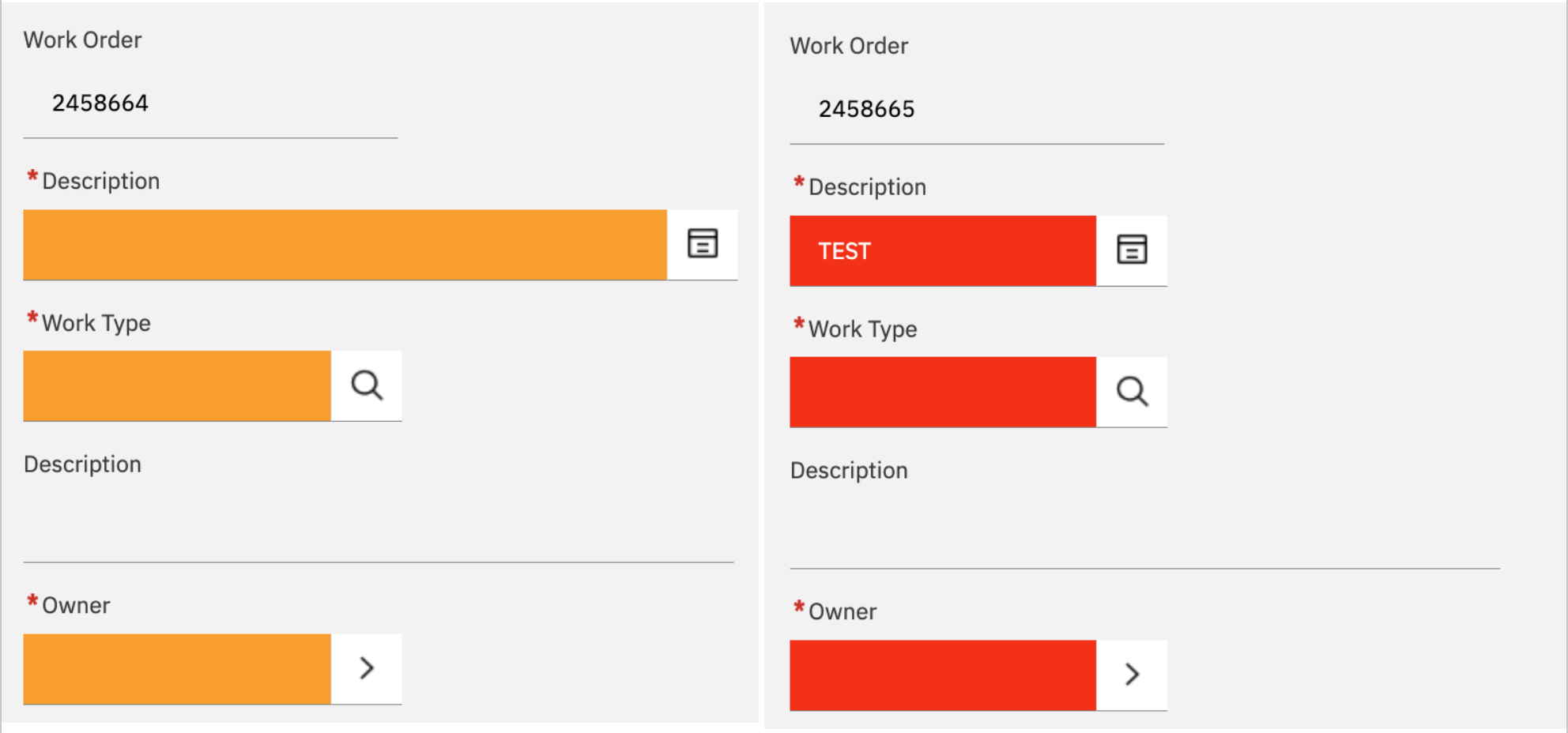
    On the left is the length that the Description field should be, on the right is what happens when I add the !important; to the CSS.
    Thank you in advance


    #Administration
    #EndUser
    #EverythingMaximo
    #MaximoApplicationSuite

    ------------------------------
    Danny Richardson
    Maximo Administrator Manager
    Technimark LLC
    ------------------------------


  • 2.  RE: MAS 9.1 Carbon and cssclass: !important; not respecting custom CTRL_TEXTBOX.SIZE value set in Application Designer

    Posted yesterday

    Since you mentioned application designer, I assume you're doing conditional UI to adjust the CSS. Can you set the cssclass to bgred txtwhite

    When I did that in my demo system it shows how you want while still keeping the size (I resized this to 20)


    ------------------------------
    Steven Shull
    Naviam
    ------------------------------