Original Message:
Sent: 06-17-2026 12:11
From: mx pro
Subject: Maximo Mobile 9.2 - Crew Time Entry
That is really awesome.
Is there any place where we can have a look?
Is there any discussion on bringing the PREVIEW site back?
also.. any documentation?
additionally... do we have any place where we know the roadmap on known future coming functionalities, just so that we know when any thing is supposed to come.
Regards
Farhan
------------------------------
mx pro
Private
------------------------------
Original Message:
Sent: 06-17-2026 11:30
From: Steven Shull
Subject: Maximo Mobile 9.2 - Crew Time Entry
The new Crew Manager application is for managing the crew. IE our normal driver for this crew is Larry but Larry is on vacation, so Julie is taking over this week. Think the classic Crew application, though significantly limited.
Currently the driver is Hank Adams in this example, and I am going to add MAXADMIN for the rest of today (not setting an end date for Hank Adams so he is still on the crew).
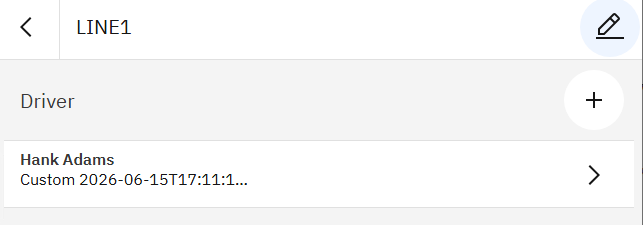
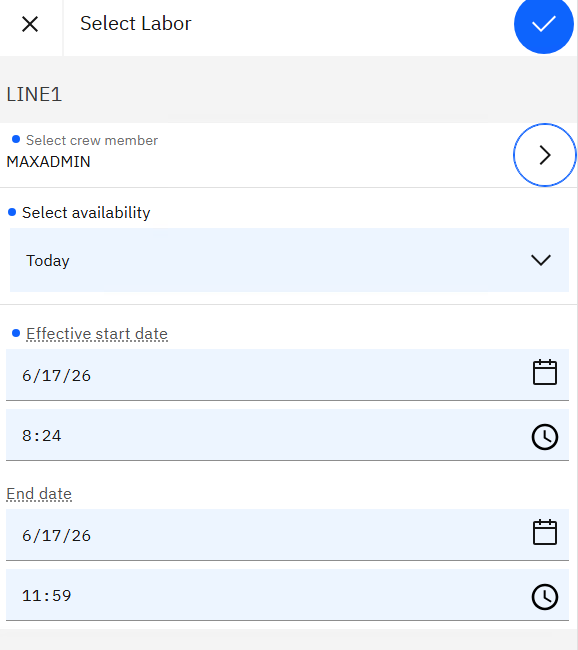
The TECHMOBILE enter time by crew is for reporting time for everyone in the crew like you want. I have selected my crew and see that there are 3 labor records in the crew today and can report time of 1 hour for everyone.
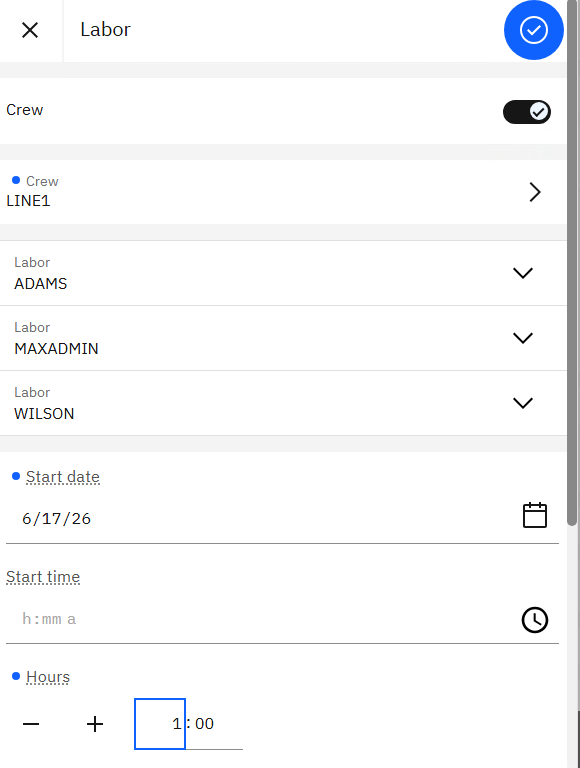
You can tell in the app, but also when you go to the Work Order Tracking application you see it as well.

------------------------------
Steven Shull
Naviam
------------------------------
Original Message:
Sent: 06-17-2026 11:00
From: mx pro
Subject: Maximo Mobile 9.2 - Crew Time Entry
Hi Steven,
Thanks for the reply.
So just to clarify myself.
in 9.2, there are 2 options.
First is the "Crew Manager" app and second is the "Crew" field on the TECHMOBILE app.
In the second option, the person who is entering his/her time on Maximo Mobile, can specify the crew on which he is working for that particular time entry.
In the first option, the new app only allow to specify who is in the Crew..
is my understanding correct?
Also.. my actual requirement is to be able to add multiple time entry on Maximo Mobile in one time, how it is available on desktop using "Enter Time By Crew". On that dialog Box you get all the crew members and then enter time for them on same dialog box and Maximo saves all those as WO Actual labor separate transactions.
Like a supervisor entering time for his / her entire Crew. So he/she do not have to make separate transactions.
I am trying to find any documentation on this but for some reason I am unable.. on net they only showing feature pack and this information i cannot get.
Will it be possible if you share some place where i get detailed information.
------------------------------
mx pro
Private
------------------------------
Original Message:
Sent: 06-15-2026 13:29
From: Steven Shull
Subject: Maximo Mobile 9.2 - Crew Time Entry
There's a new crew manager app for controlling who is working on a crew.
In the TECHMOBILE app when reporting labor there is a flag for filtering that you want to enter time based on a crew and it will allow you to pick your crews.
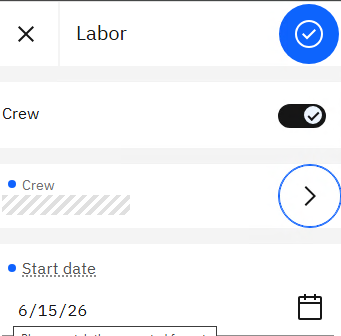
To answer where, this should be documented in the IBM What's New (What's new in the feature channel for Maximo Mobile - IBM Documentation) but it's not covered yet. There will be a 9.2 page when the release comes out that will include these and hopefully other documentation.
------------------------------
Steven Shull
Naviam
------------------------------