Maximo Open Forum

 View Only
  • 1.  How to view PMWORKGENERATION in the database

    Posted 07-30-2025 10:12

    Hello MORE Maximo community,

    I would like to check who has been manually generating PMs because I am wanting to make a change to a Security Group.
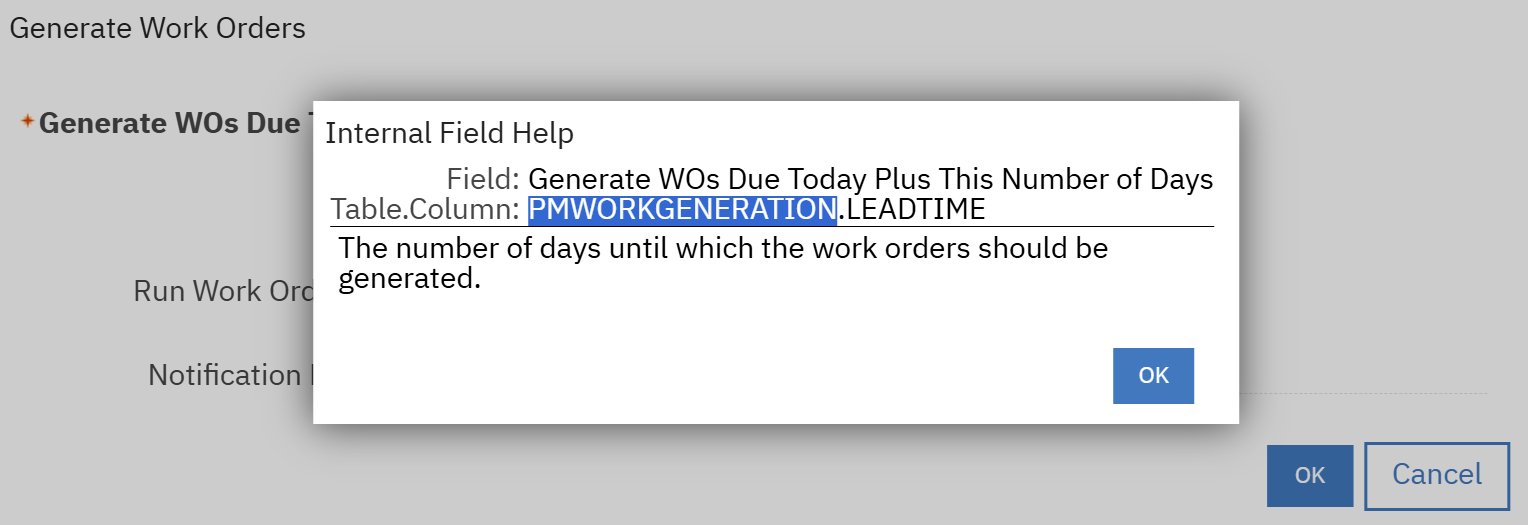
    I see that the name is PMWORKGENERATION but there is not a table or view that I see available in the database with that name. 

    Does anyone have any suggestions on how to see the information I need?

    Thank you, 


    #Administration
    #EndUser
    #EverythingMaximo
    #Security
    #WorkManagement

    ------------------------------
    Danny Richardson
    Maximo Administrator Manager
    Technimark LLC
    ------------------------------


  • 2.  RE: How to view PMWORKGENERATION in the database

    Posted 07-30-2025 12:38
    Edited by Danny Richardson 07-30-2025 12:40

    I wasn't able to locate how to see the data from PMWORKGENERATION but a possible indirect way to see the information was by using this SQL:

    SELECT

    w.REPORTDATE,

    w.REPORTEDBY,

    w.WONUM,

    w.DESCRIPTION,

    w.WORKTYPE,

    w.SITEID,

    p.PERSONID,

    p.DISPLAYNAME

    FROM

    workorder w

    JOIN

    person p

    ON w.reportedby = p.personid

    WHERE

    w.istask = 0

    AND w.reportdate BETWEEN DATE('2025-07-01') AND DATE('2025-07-31')

    AND w.worktype = 'PM'

    AND w.reportedby <> 'MAXADMIN';

    This SQL could possibly be optimized for better speed but this is a possible solution in case any one has a similar need.


    ------------------------------
    Danny Richardson
    Maximo Administrator Manager
    Technimark LLC
    ------------------------------


Newest Episode
Ep. 8 | Going Beyond Manage with Steve Hauptman

Watch Steven Shull and Steve Hauptman discuss how Maximo teams can go beyond Manage in MAS, including Health, Monitor, Predict, AI, Scheduler, Mobile, HSE, Collaborate, and MBI.

MORE by Naviam Episode 8 cover
Watch Episode 8
Also available: Ep. 7 | Maximo UI Modernization with Jordan Smith